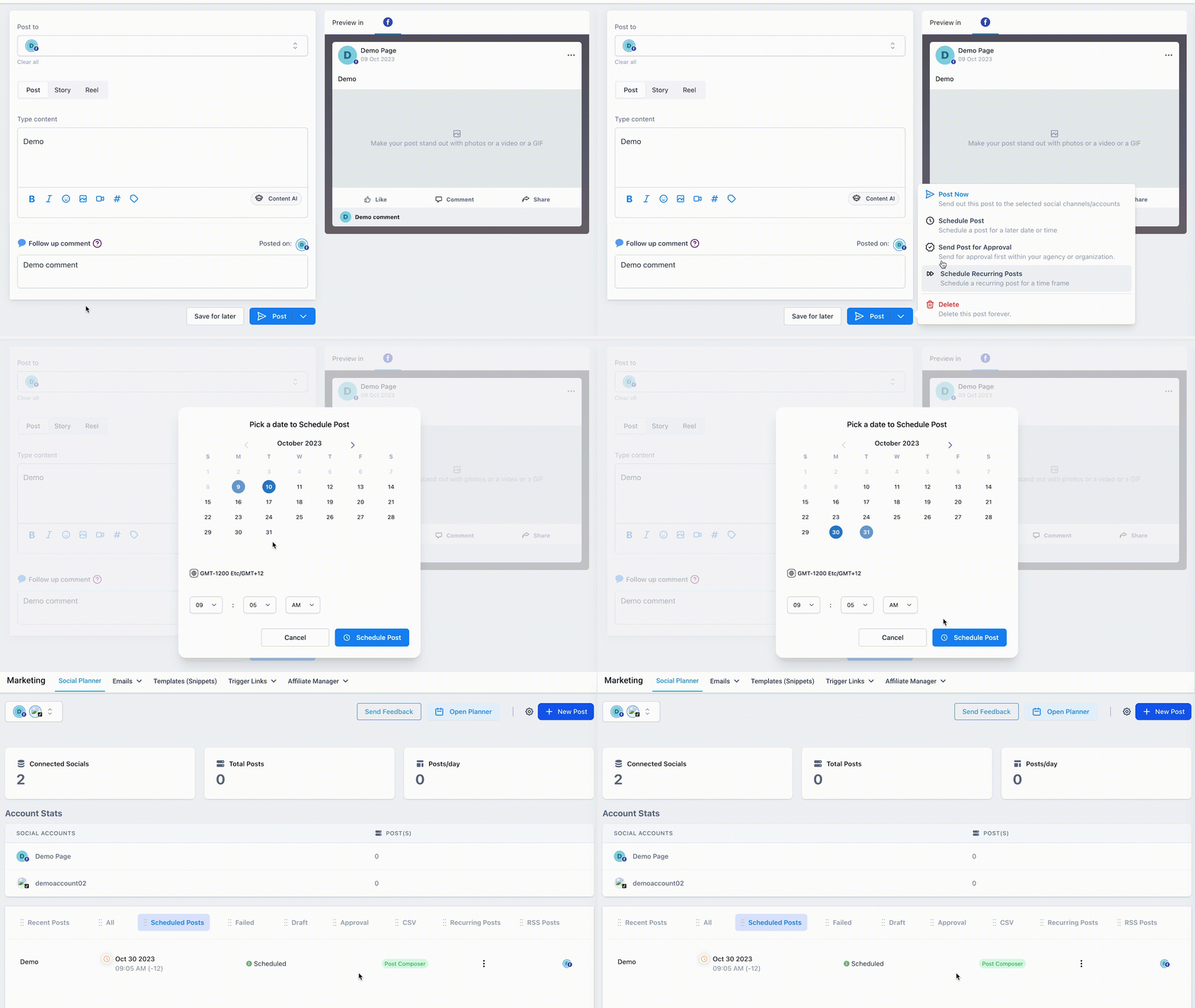
Follow up comments are the first automated comments posted on social media. You can set up these comments in the Social Planner to increase your engagement with your followers on social media.
The “Follow up Comment” feature works for following social media postings:
- Facebook Page
- Facebook Group (NOTE: account must be a Facebook Page)
- Linkedin Profile
- Linkedin Page
- Instagram Business Account
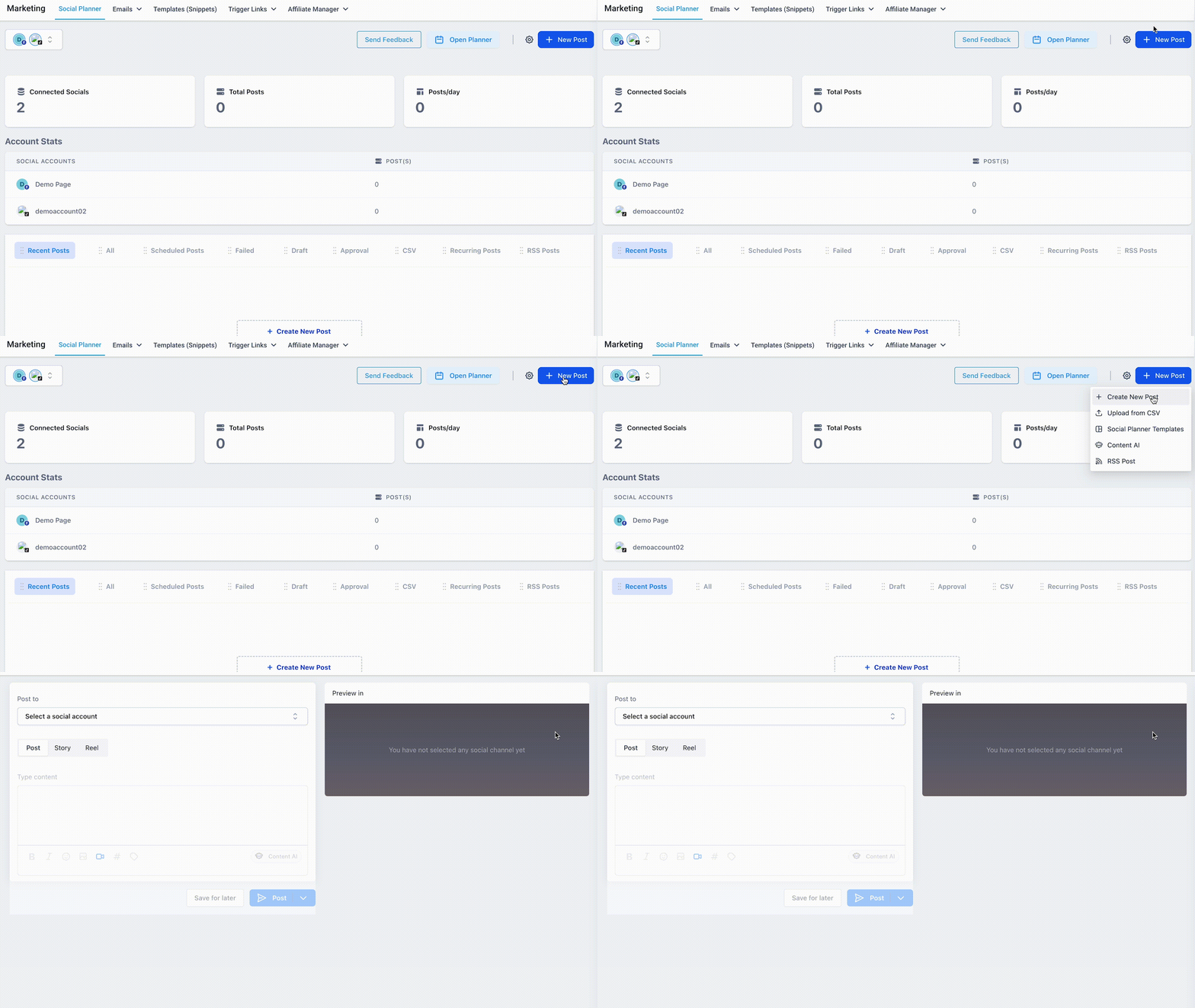
Step 1: Navigate to the Social Planner.
Step 2: Click to create a new post.
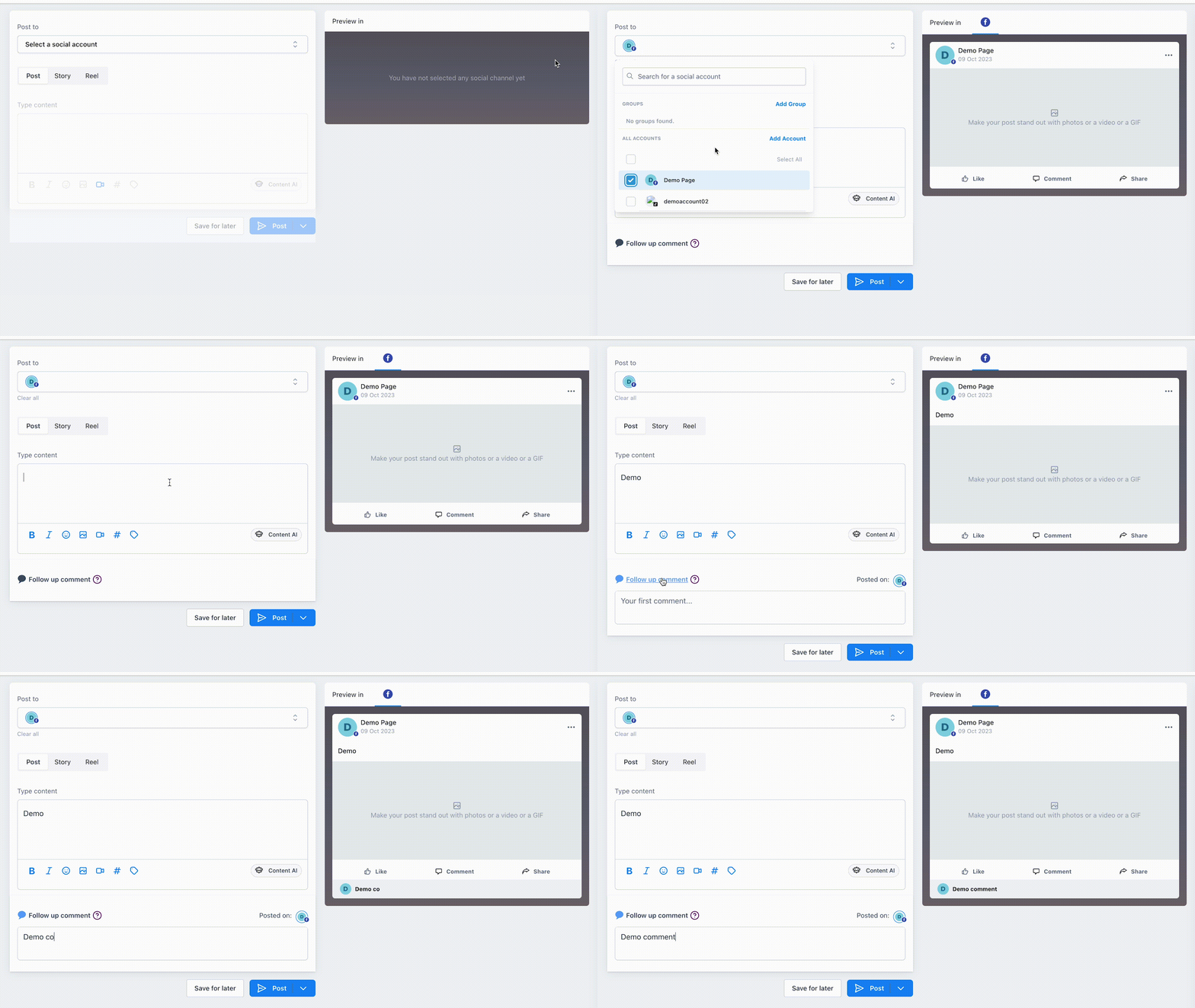
Step 3: Within the new post, click the “Follow up Comment” button to enable the feature.
Step 4: Save and schedule or publish your post.