Revenue Analytics, a sub-feature of Analytics accessible through the main menu, has been expanded to provide users with comprehensive insights into not only one-time purchases but also membership transactions. To access these valuable insights, follow these steps:
Accessing Revenue Analytics:
This feature allows users to filter their data by date, channel of the purchase, and view the distribution of the top four offers in the given date range. Additionally, users can compare multiple offers and see the revenue from these offers.
Net Revenue Tab:
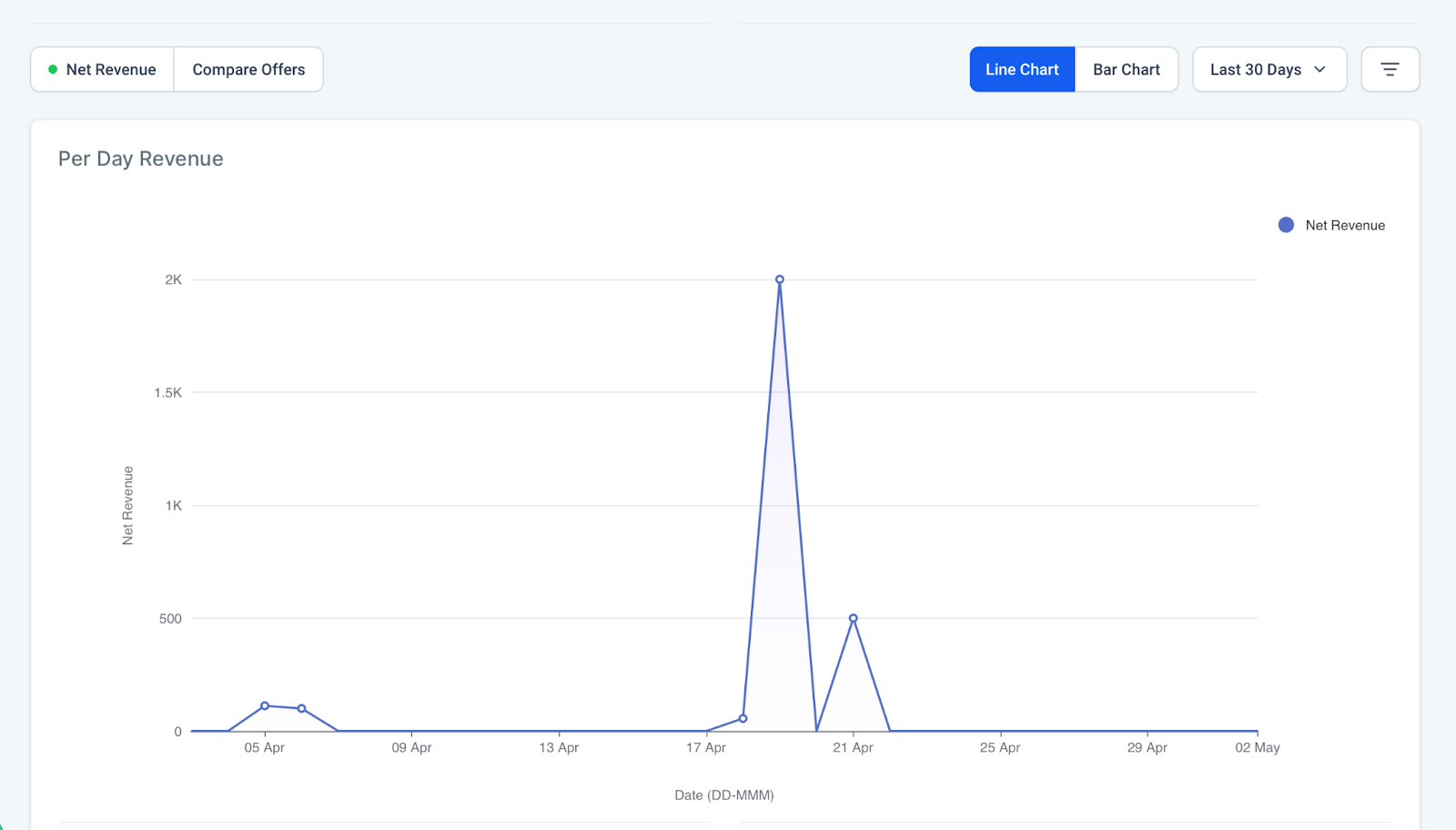
Net Revenue Tab: This is the default view of Revenue Analytics. It displays the data for one-time purchases.
Filtering Options:
- By date (including date range)
- By purchase channel from three available options:
- Membership, Funnel, and Upsell.
Membership Transaction Tracking:
One of the significant enhancements is the inclusion of membership transaction tracking within Revenue Analytics.
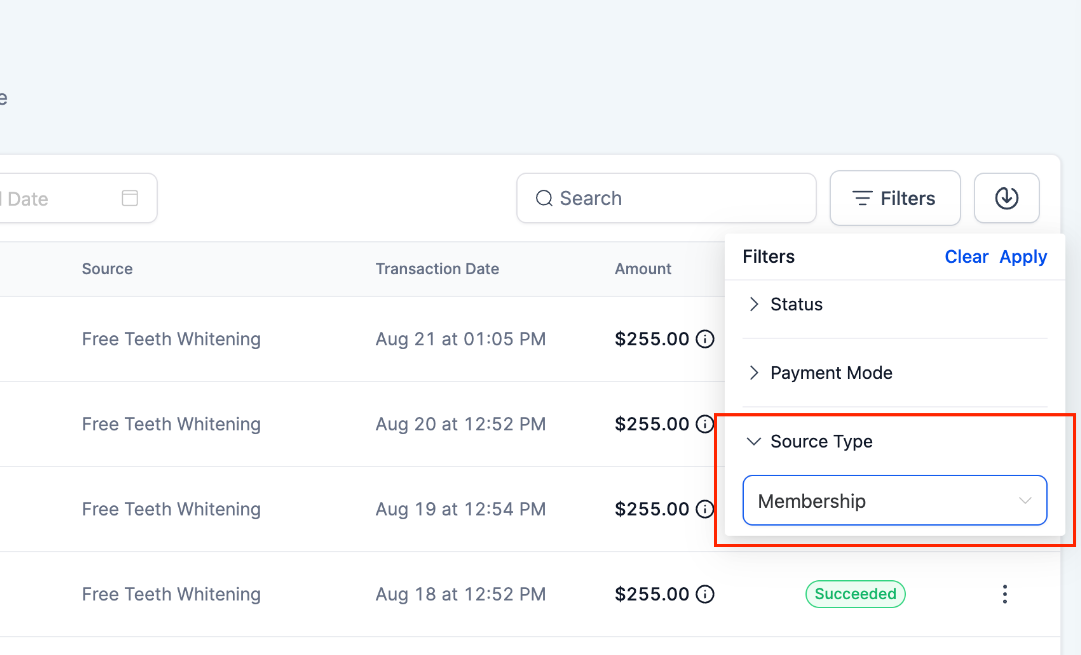
- All transactions done within the memberships section are available under Payments -> Transactions. Users will be able to filter these transactions using the Memberships filter as well.
- The above payments include both one-time and recurring transactions. Any subscription created will be available under Payments -> Subscriptions
- Any offer created within the Memberships section will create a corresponding product/price under Payments -> Products. This helps with a consolidated view of all products and the ability to track all payments in a single place
Offer Distribution:
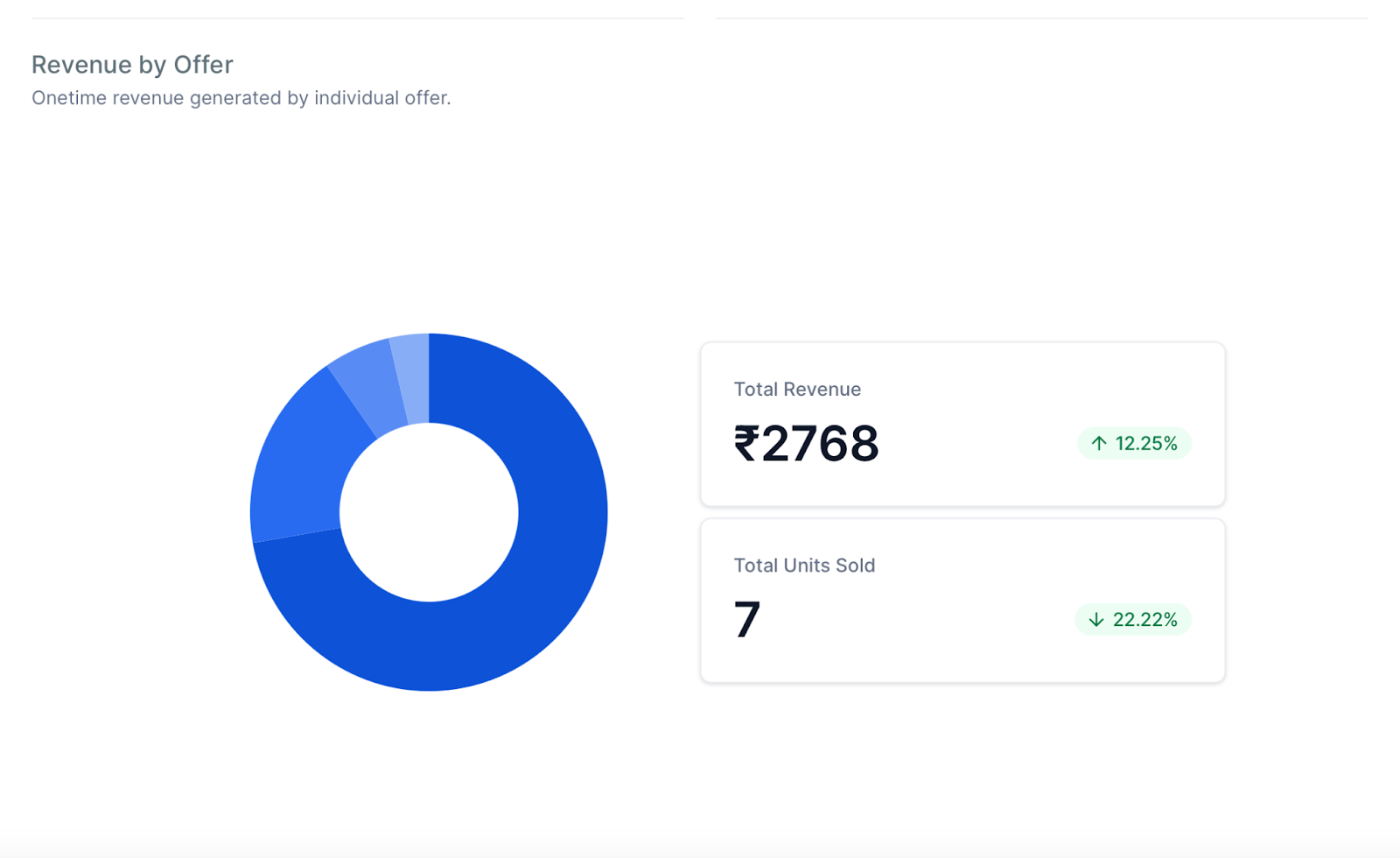
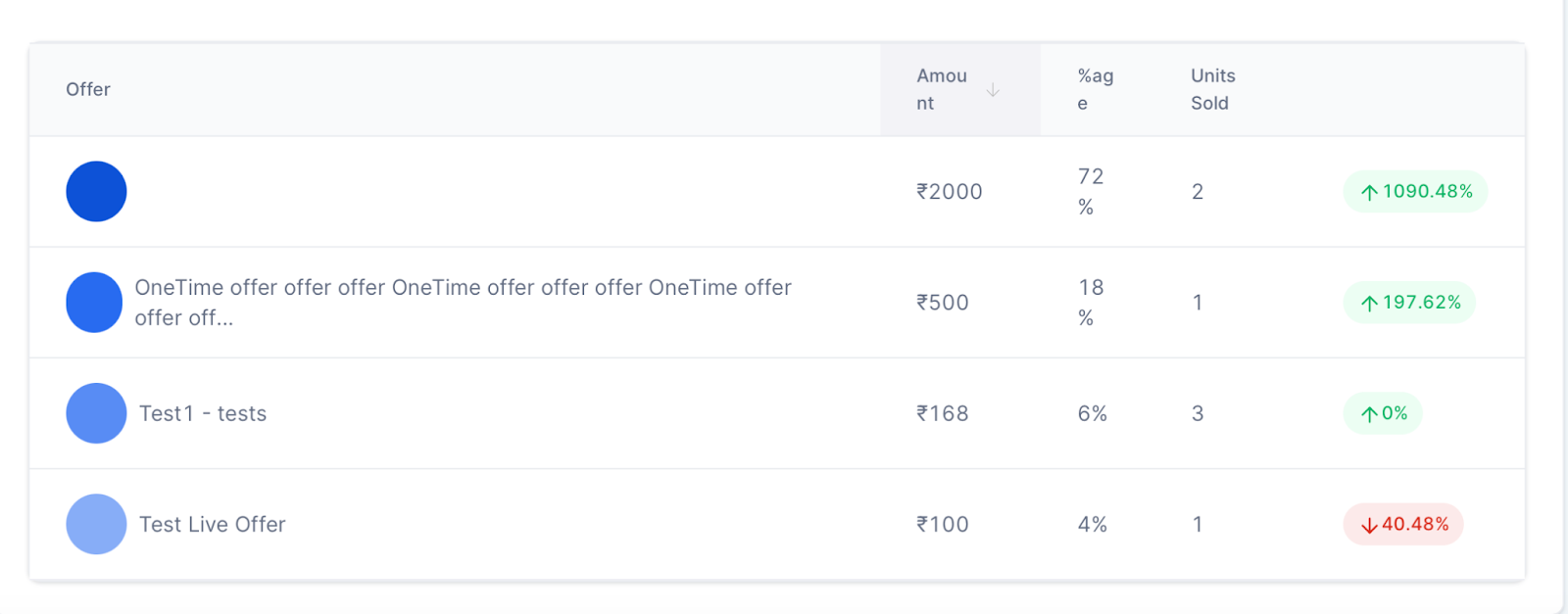
- The revamped Revenue Analytics also provides insights into the distribution of the top four offers within the selected date range.
- Users can view the units sold and total revenue for these top offers based on their chosen filters.
Compare Offers Tab:
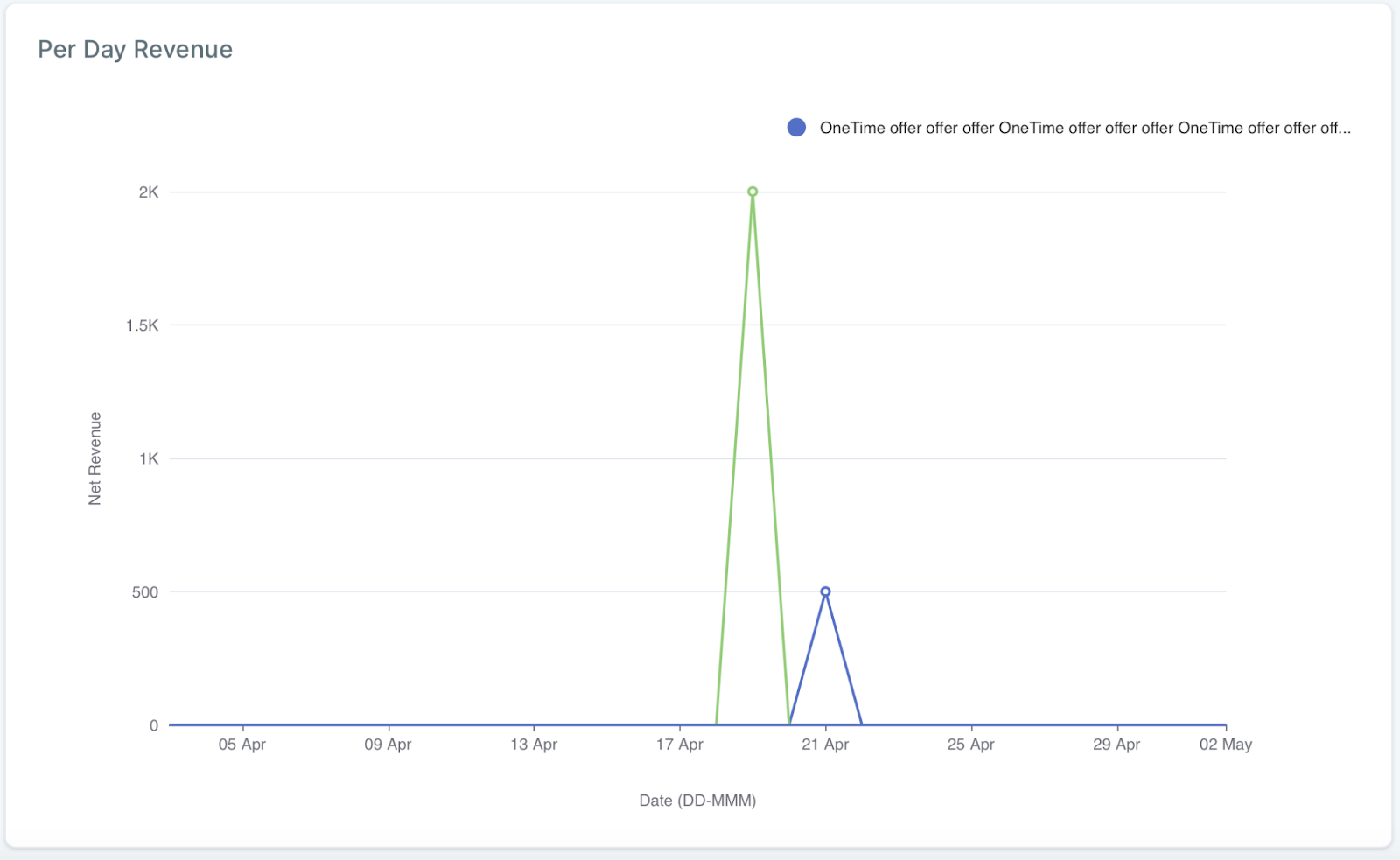
- Revenue Analytics now allows users to compare the performance of multiple offers simultaneously.
- Users can compare up to four offers at once, gaining valuable insights into the revenue generated by each offer.