In this article, you will learn how to create products with a payment plan. This will allow you to charge your customer a specific number of payments for your product or service.
What you will need:
- Make sure your payment gateway is integrated (Stripe, PayPal, NMI, or Authorize Net)
- An order form
Step 1: Set up your product
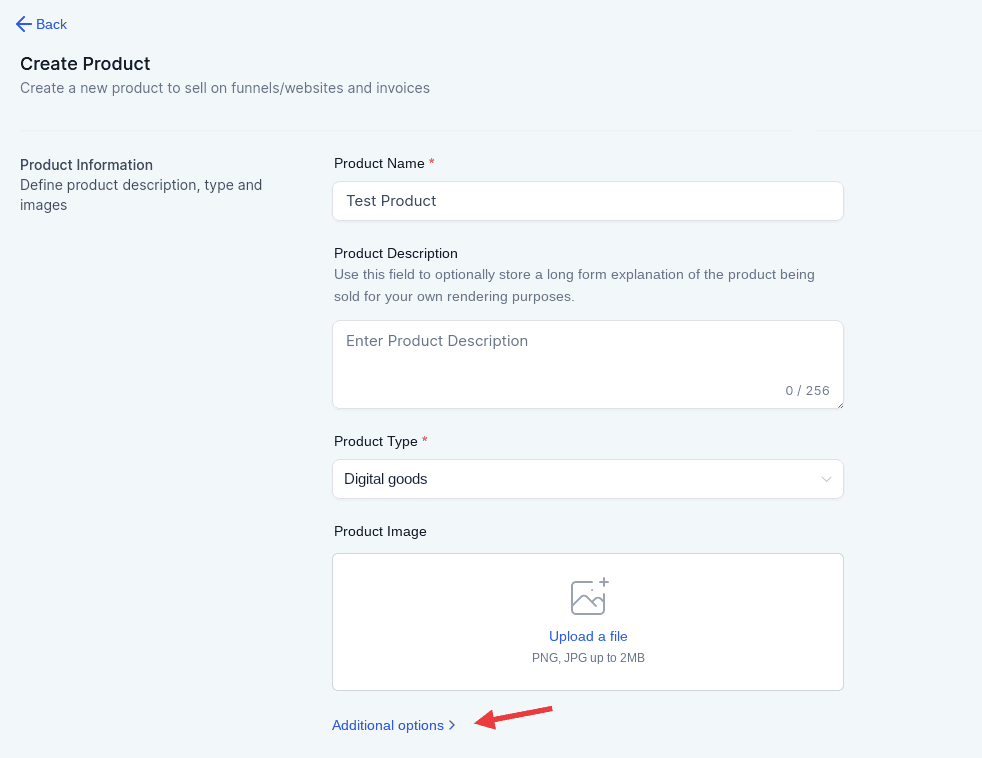
- Navigate to Payments > Products > Fill out the first details (product name, description, type, image)
- Click on Additional Options if you want to set up the Statement Descriptor
- In the pricing area, there is a section where you will add the pricing name, type, amount, and billing period.
- Set a price and select “Recurring” on the product type.
- Choose a billing period (Ex. every 30 days, monthly).
- Click again in Additional Options
- Here you can add a price description if there is a trial period, the number of payments, and the setup fee.
Note: If you will add a trial period, it will count as one payment.
- You can also toggle the option “Membership Offer” if this product belongs to a membership offer and filter by the name of the offer.
- Click on Create
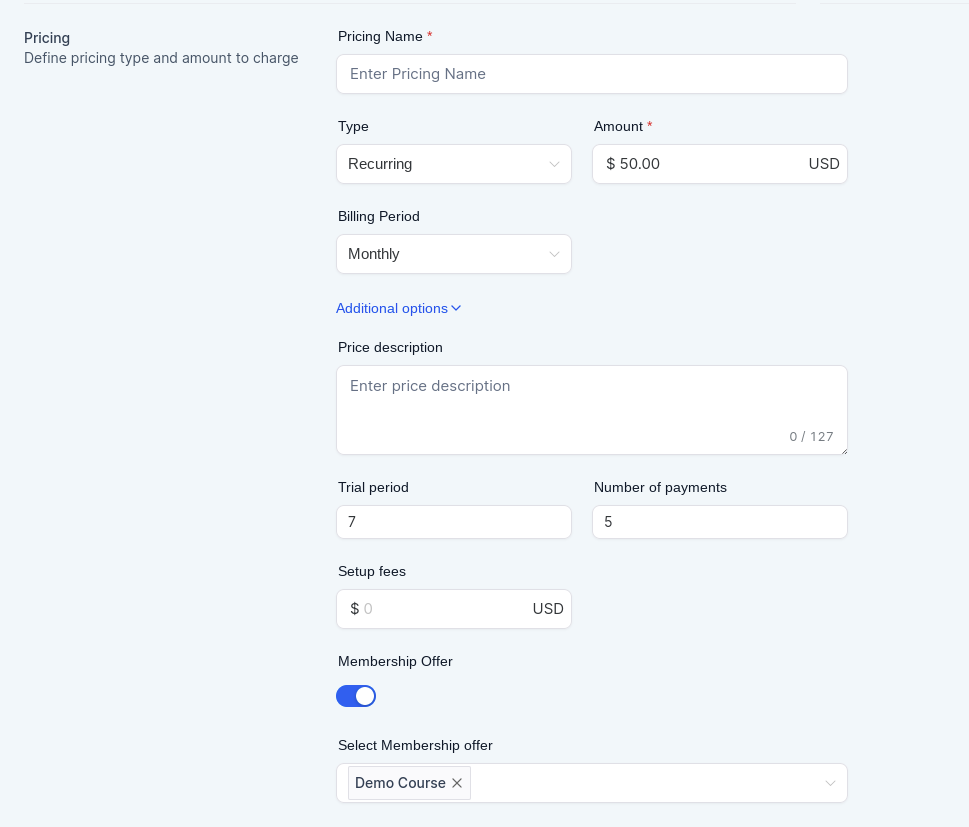
In the example above, the customers will have a 7-day trial period and will have to pay $50, for 4 months. This will give the customer access to the Demo Course. Once the 7-day trial + 4 months have passed, their access will be revoked. Remember that the trial period counts as 1 payment, that’s why there are 5 payments (1 for the trial period + 4 for the monthly fees).
Step 2: Set up the product in the funnel
- Navigate to Sites > Funnels
- Click in the funnel and the step where you have the order form and choose “Products”
- Click edit if you have an existing product or add a product
- Fill out the details you need
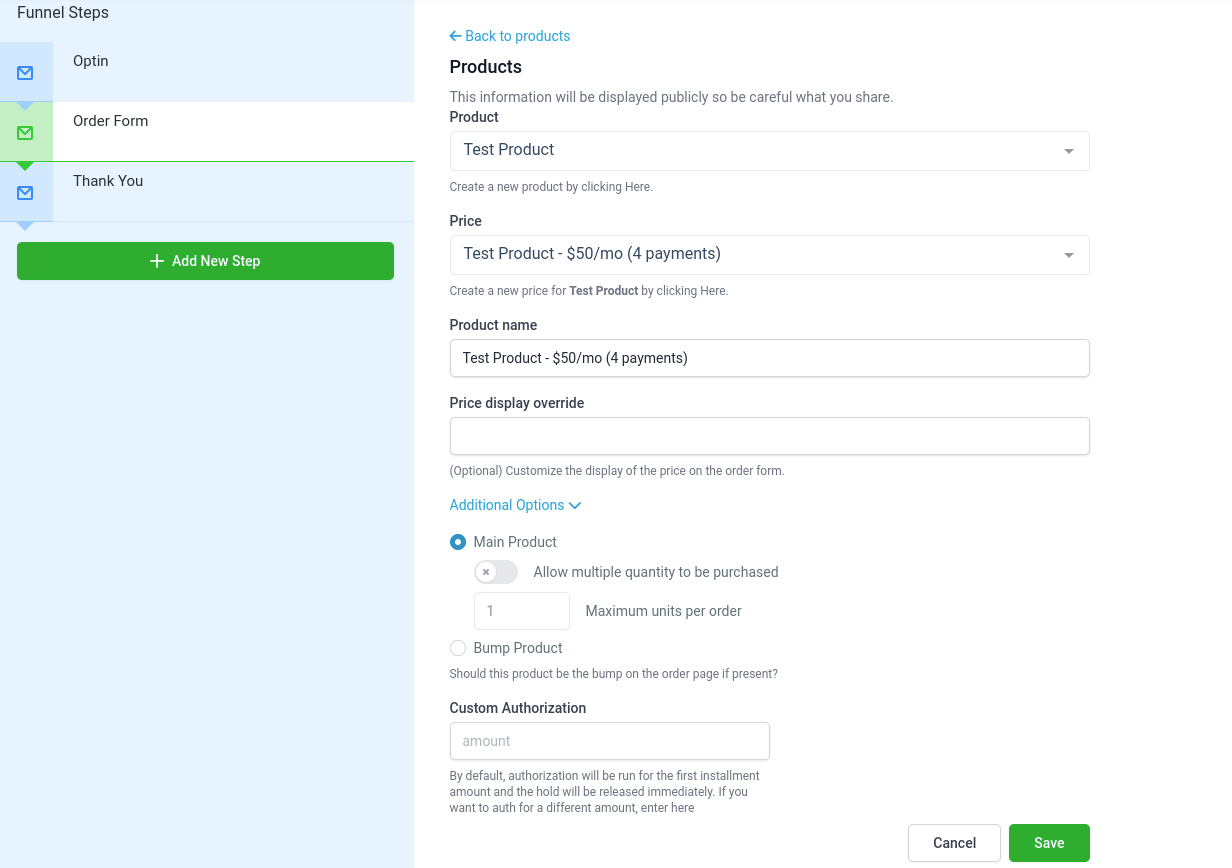
- Click on Save
Note: The payment plans can only be used in order form products.