In this article, we’ll explore the process of setting up a subdomain for membership portals within the context of Infinite Sales. By following these steps, you can ensure a seamless experience for your users and prevent potential conflicts related to domain management.
Defining Subdomains
A subdomain is a subset of a larger domain, allowing for specific sections of a website to have unique addresses. In our example, we recommend using a subdomain like members.yourtestwebsite.com for membership portals. In this example, the “members” portion is the one that makes this a subdomain, and the root domain is “yourtestwebsite.com”.
Keep these concepts in mind while following this guide to how to connect a subdomain to the membership area.
Step 1: Access Site Details
- Navigate to the Membership section.
- Hover over the courses dropdown and select Settings.
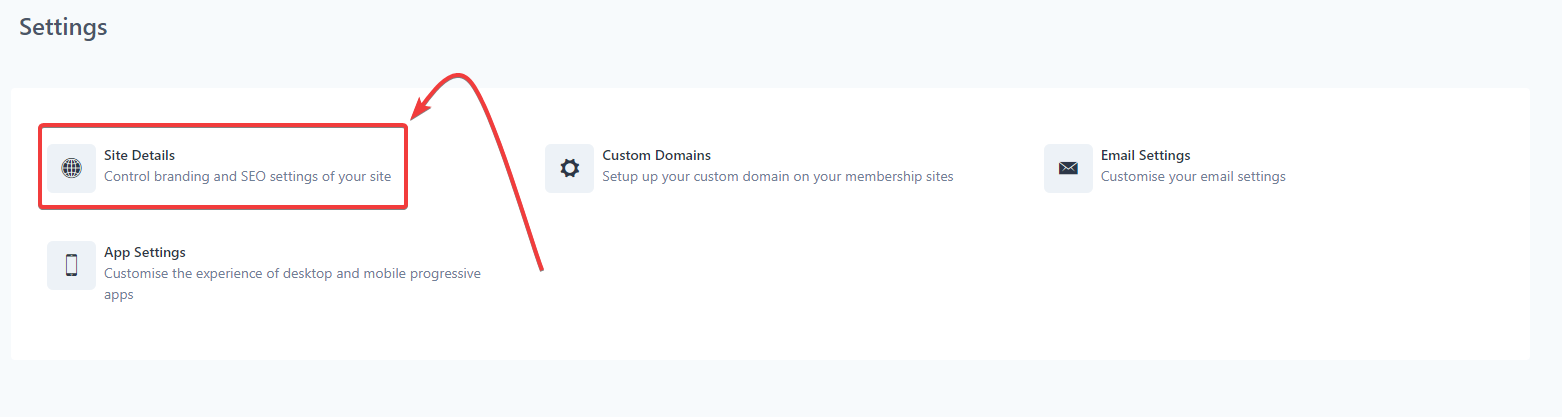
- Click on Site Details.
Step 2: Configuring Default Subdomain
- In the Site Details, locate the default subdomain field for memberships.
- Enter your desired subdomain text (e.g., members).
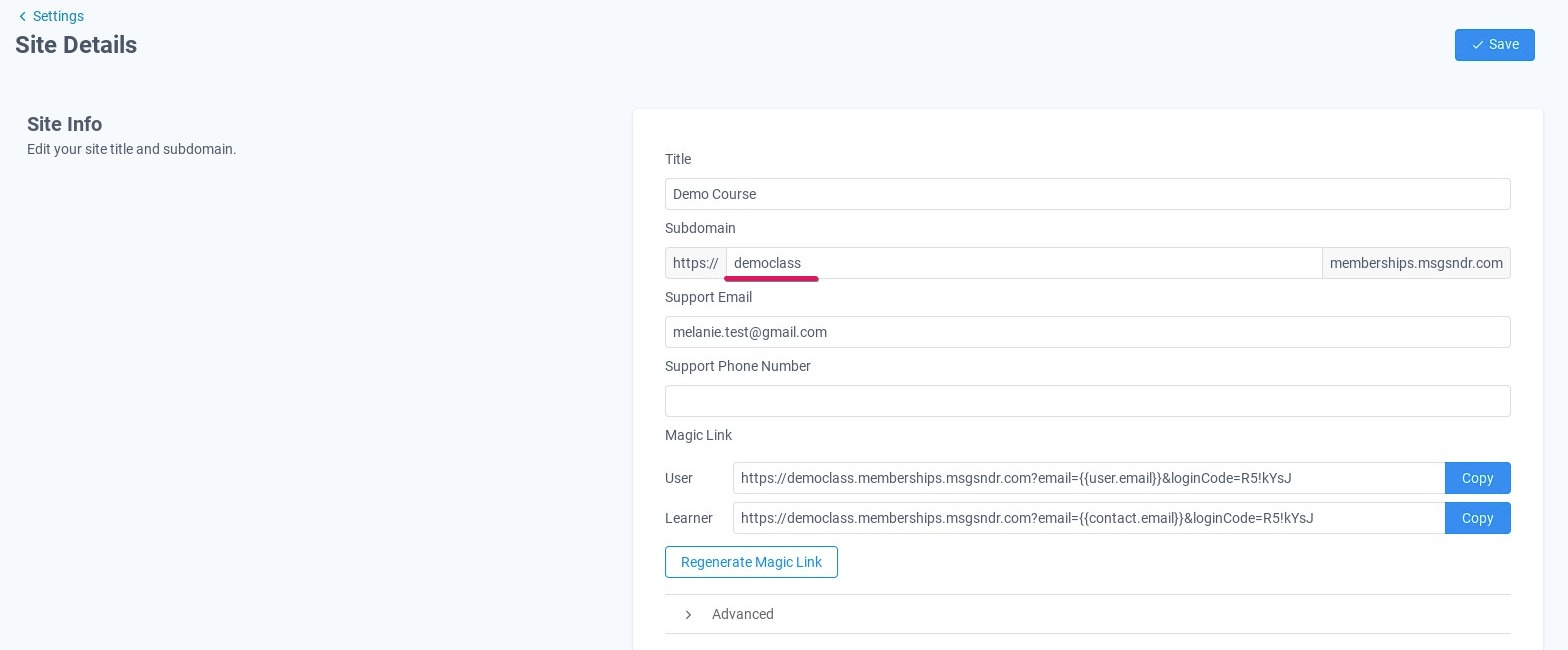
- Save your changes.
- Regenerate magic links if necessary and ensure that the complete URL directs users to the membership login page.
Step 3: Adding Custom Domains
- Still, within the Membership section, go to Settings and select Custom Domains.
- Enter the dedicated subdomain for memberships in the domain field.
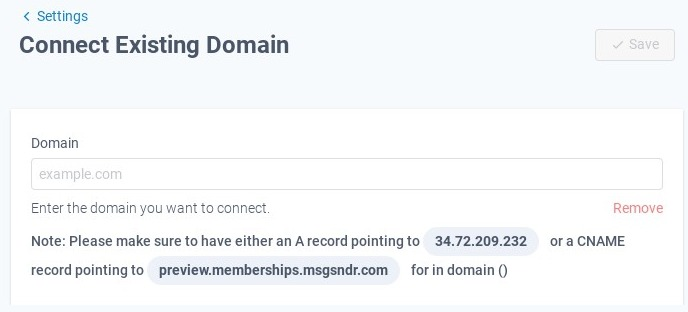
- Add the required DNS records as instructed on the page in your domain’s DNS settings.
- Click save to validate the records.
- If you encounter errors, double-check the records and reach out to support if needed. Wait for 24 hours if everything appears correct before saving again.
Note: We recommend using a subdomain, typically, using the main website root domain or main website www subdomain is not, unless you want that domain to be only for memberships
Ensure Site Details are Updated
- After you have successfully added the subdomain, navigate back to membership settings and click on Site Details.
- Verify that your domain name is present in the field titled “Site URL” under Advanced details.
- Click on Generate Magic Link to refresh links and reload the page if you’ve made domain changes.
Best Practices and Recommendations
- Domain Management: Consider having one domain in Infinite Sales (e.g., testsamplewebsite.com) and redirecting the other (non-www or www) using your DNS manager, like Cloudflare with page rules. This prevents conflicts and streamlined user experience.
Subdomain Usage: Reserve subdomains for specific purposes, such as memberships (e.g., members.yourtestwebsite.com), to maintain organization and clarity in your web structure.