You can create a chat widget in Infinite Sales to add to a funnel or website page, to increase your opportunities to communicate with clients. You can also use the Live Chat type widget to immediately respond to messages from your leads and clients. Follow the steps below to create a widget and use it on a funnel or website page:
Step 1: How to Create a Chat Widget
- Navigate to Sites > Chat Widget.
- There are 4 tabs of customization for setting up your chat widget: Chat bubble, Chat Type, Widget window, and Acknowledgment settings.

Chat Bubble tab
- You can turn on or off the bubble, edit the intro message, and the avatar, and edit the message to visitors who return.

Chat Type tab
- You can select from the SMS/Email chat or a Live chat.

- If you choose the Live hat option, you can respond to your live chat clients in the Live Chat widget or directly in the Conversations tab too.

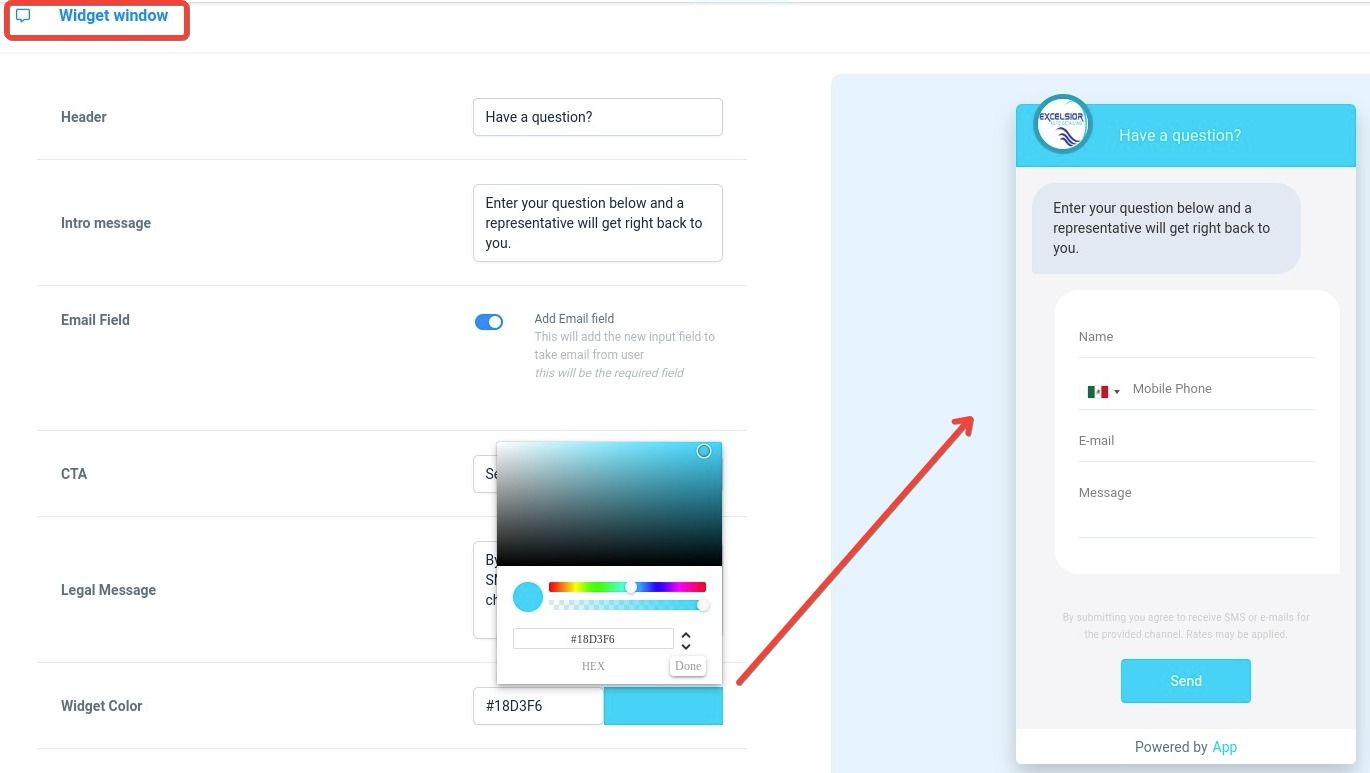
Widget Window tab
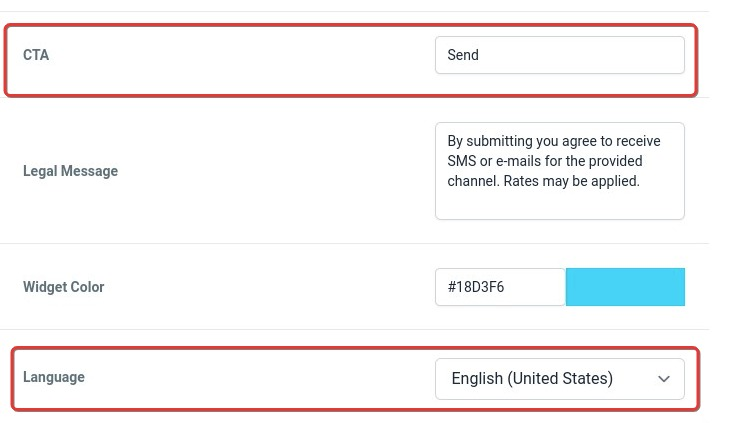
- You can customize the various aspects as you wish (header, intro message, email field, CTA, legal message, widget color, and language), and you will see your changes reflected in the preview on the right-hand side. Changing the language will allow users to access them in their preferred language.
- If the Live Chat option was selected, here you can edit the Live Chat settings too. This includes Live Chat intro message, fallback time (inactivity) and message, and chat closed time and message due to inactivity.

Acknowledgement Settings tab
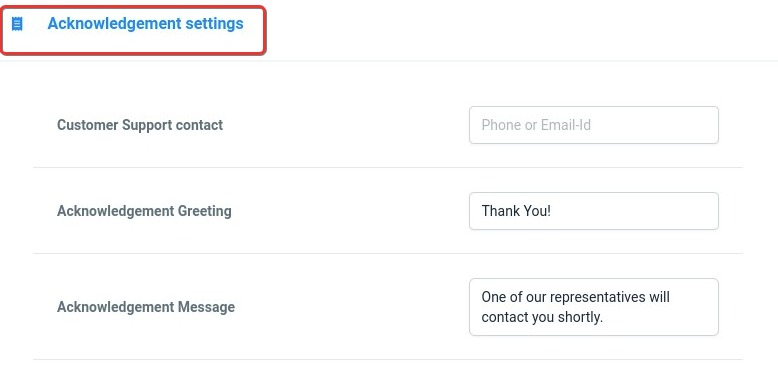
- Here you can add the phone and email where they can contact you in case of needing support, the acknowledge greeting and message.
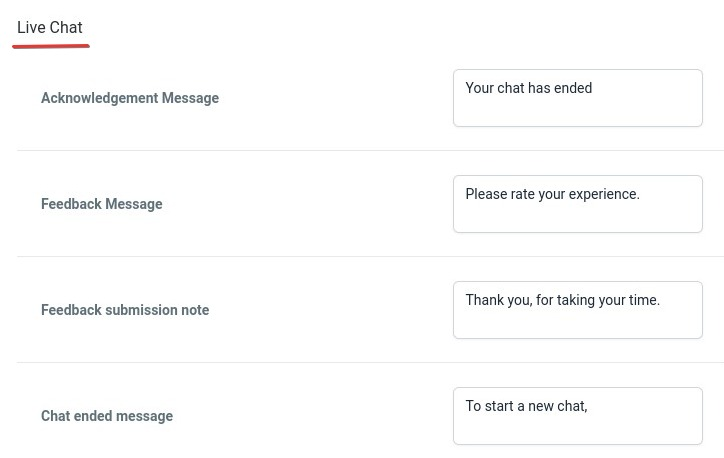
- If you chose Live Chat, here you can edit the acknowledgement message, feedback message, feedback submission note and chat ended message.
Step 2: Saving the Chat Widget Changes
- Click Save to confirm your changes.
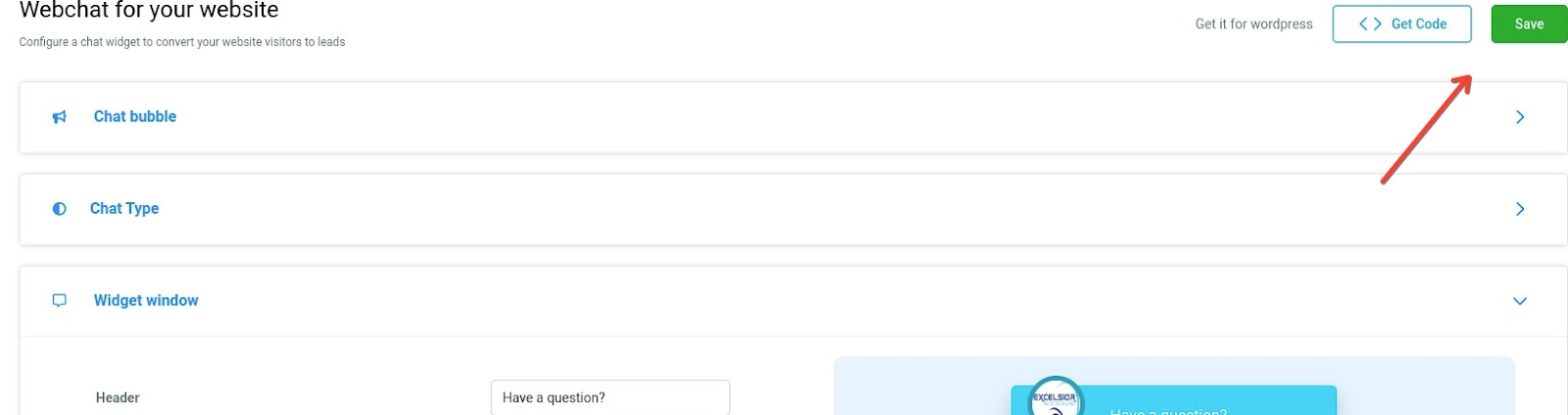
- Click “Get Code” and copy the code that appears in the pop-up window.
Note: If you edited the language, you will have to update the code of the chat widget at relevant places after updating the languages.
Step 3: How to Add the Chat Widget to a Funnel or Website
- Navigate to Funnels or Websites.
- Click into the Funnel or Website you want to add the chat widget to.
- Navigate to Settings.
- Paste the code into the “Body tracking code” field. Click Save.

- You can preview the funnel or website, and refresh the page to view what the widget will look like for contacts visiting your funnel/website page.