In WordPress, there is a plugin called LeadConnector that allows you to use Funnels on WordPress sites. In the past this was set up using subdomains now it can be right on the path at the root domain(yourclientswebsite.com/something). This makes the URL clean and quicker.
In this article, we will go over how to add a Infinite Sales funnel to WordPress.
Step 1: Add the Plugin
- Navigate to the plugins tab and then click on the Add New button.
- Search for the LeadConnector application and click on Install Now.
- Click on Activate when it displays after installation.
Step 2: Copy and paste the API key from the system into WordPress.
- Navigate back to the Infinite Sales Settings, go to the Business profile, and copy the API Key.
- Navigate back to the added Lead Connector tab
- Paste the API key into the correct field within the LeadConnector tab in WordPress and click save.
Step 3: Install the site on WordPress
- Click Add New
- Choose the funnel and the step
- The display method will be as Embed Full Page iFrame
- Enable tracking (If you have a tracking code in your funnel)
- Add a slug.
- Save Page
- View the added Funnel!
Tracking Code Details
Tracking code can be viewed from the funnel builder when editing a funnel within Settings > Tracking Code
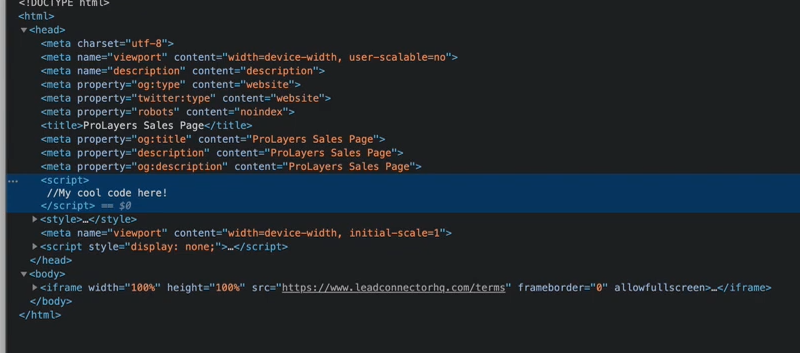
When using a funnel on WordPress it will place the tracking code into the expected location known as the website header.
Errors
If you are receiving the error message “Fingerprint is Missing” in a funnel page that’s connected using the plugin, there are 2 possible reasons and solutions:
Scenario 1 – Browser Settings:
If it is happening on a specific browser and working on a different browser, then it is happening because of some custom browser settings due to which the plugin cannot access the cookies.
Solution:
This issue is pretty rare. So for a quick fix, you can update the browser settings & enable cookies access for the plugin.
Scenario 2 – Using Different Domains:
If the issue is happening on all browsers, then your domain for the funnel is different as compared to your WordPress website. You can use a different subdomain but the domain needs to be the same, for security reasons.
As per our current implementation, we are using iFrame to render funnel page inside WordPress. For payment, we need web browser cookies (storage) access & web browser doesn’t allow access over cross-domain.
Solution:
Use the same domain, but different subdomains of this domain, for your funnel and the WordPress site.
For example, if your WordPress domain is www.mydomain.com, then you can use a subdomain like site.mydomain.com with the funnel. That would fix the issue because both sites are now using the same primary domain that’s mydomain.com.