You can use the Social Planner Social Media Tool to connect an Instagram business account. With this feature, you can manage your social accounts for Instagram, Google My Business (GMB), and Facebook all in one place. You can save time by scheduling posts, and also learn what your social media audience thinks by viewing the various statistics available.
To successfully post to the Instagram Business Profile, including direct publishing, your Instagram Business profile must be connected to a Facebook Page or Creator Profiles. This is a requirement from Facebook (which possesses Instagram). If you have not done this, please check our article ”How To Connect Your Instagram Business or Creator Account with Your Facebook Account”.
Follow these steps to connect your Instagram Business account today:
Step 1: Ensure you have an Instagram business profile.
Note: If your Instagram account is a personal profile, you will need to switch it to the business or creator profile.
- Click or Tap the 3-line menu in the top right corner of your Instagram profile.
- Tap the settings icon.
NOTE: within some accounts, the “Switch to Professional Account” option will be listed directly under the Settings icon.
- Click Account > Switch to Professional Account > Continue.
- Choose a Category for your business.
- Tap Done > OK to confirm.
- Tap Business > Next > Add Contact Details > Next.
- NOTE: You may also select “Don’t use my contact info” to skip this step.
- The next step will allow you to connect your Instagram business profile to a Facebook page associated with your business. This is an option step that can make it easier to use all of the available features across the Meta family of apps.
- Tap X on the top right corner to return to your Instagram profile.
Step 2: Allow Instagram Messaging Connections Across Apps
- From the mobile app, go to your Instagram Business account or creator profile
- Select Settings and Privacy
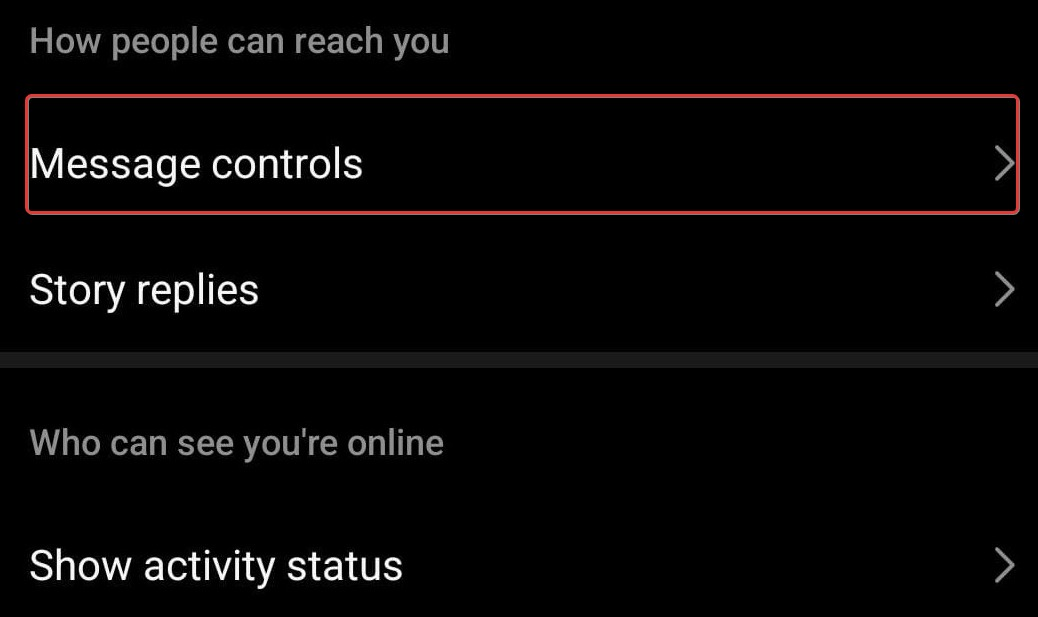
- Select Messages – Message Controls
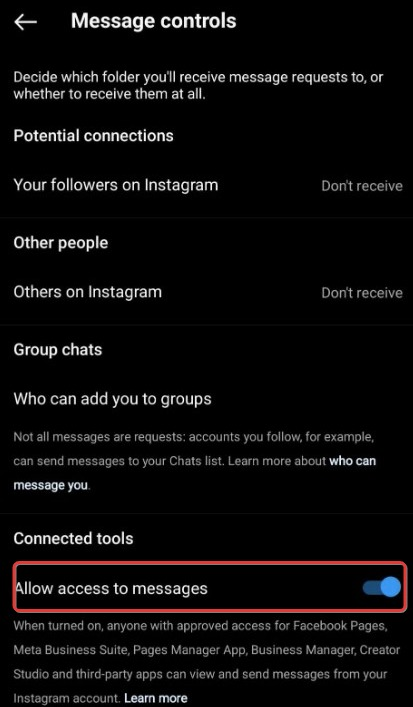
- Under Connected Tools, you can toggle on “Allow Access to Messages.”
Notes:
- If you toggle on, anyone with approved access to your Facebook Business Suite, Creator Studio, or other connected third-party apps can view or manage your Instagram Direct Messages.
- If you toggle off, you’ll only be able to view your Instagram Direct Messages on Instagram.
Step 3: Connect Your Instagram Profile to the Social Planner Tool
- Navigate to the Social Planner.
- Upon first visiting the Social Planner, there will be a wizard with a Connect option that looks like this:
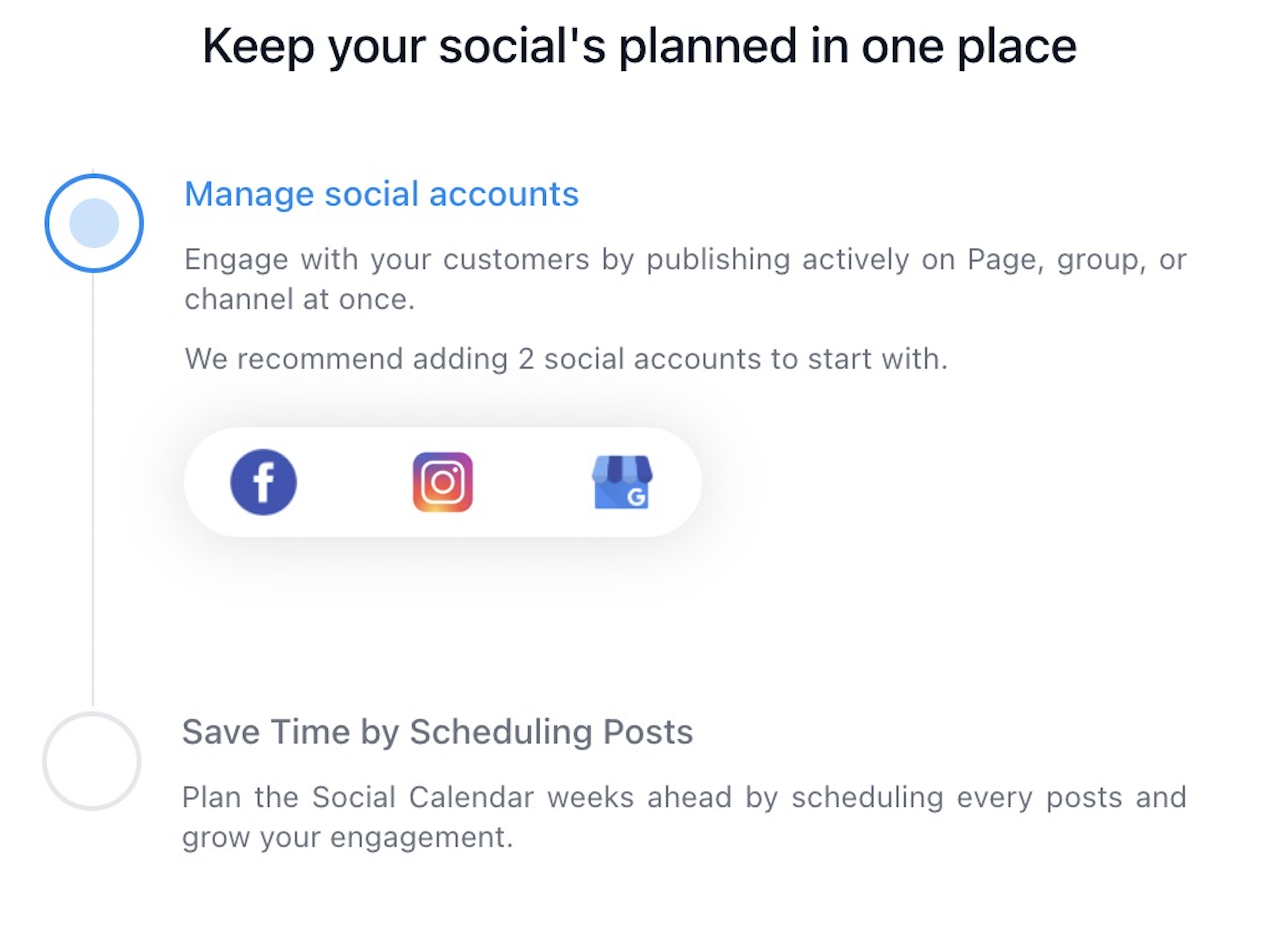
- After visiting the Social Planner the initial time, you can access the Settings via the gear icon in the top right to make additional changes and add/remove accounts.

- Click to connect an Instagram Business profile account.

- In the popup window, you’ll be asked to choose Facebook and provide the permissions for the Social Planner to access the connected Instagram page. Use your Facebook account that has an Instagram Business account connected with it, type in the details, and click on “Log In to Facebook” to proceed.
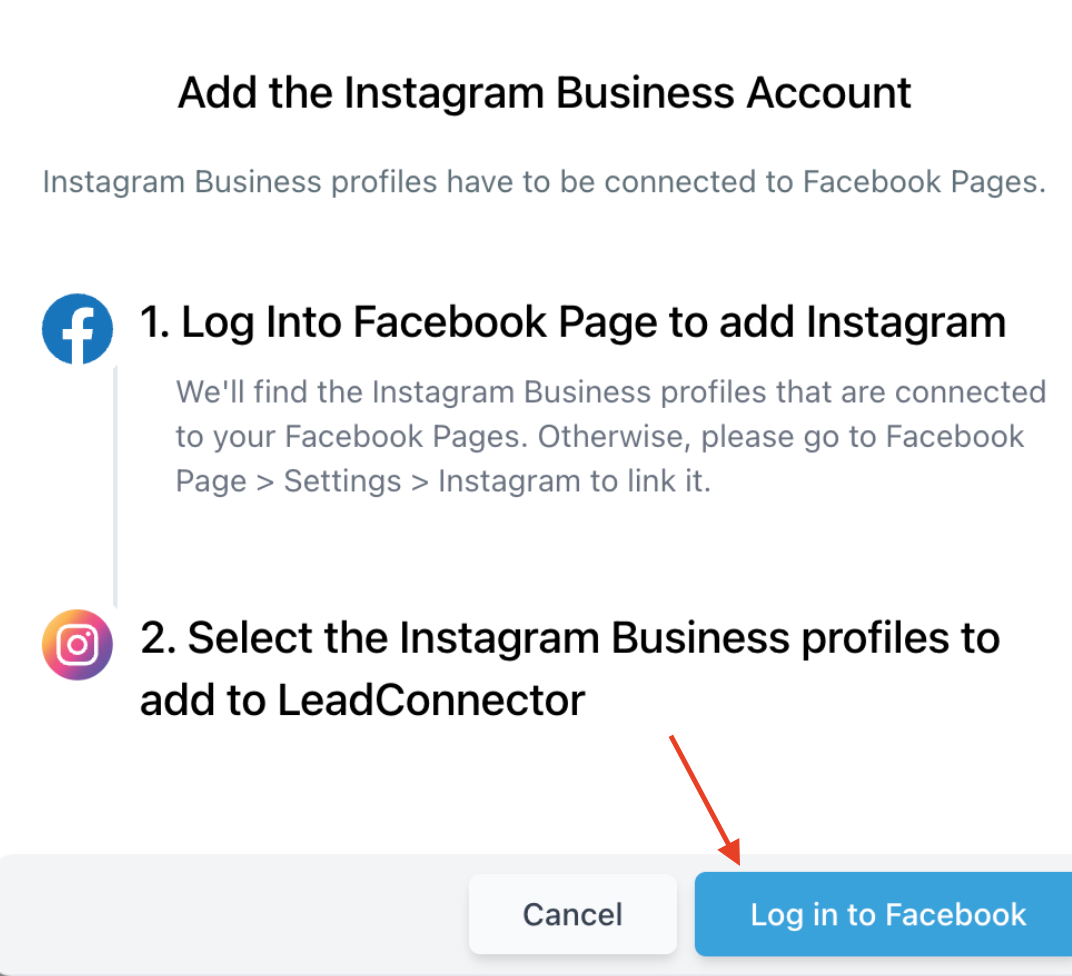
- Select the Instagram Business Profile(s) you want to add to Social Planner.
- NOTE: If the Instagram Business Profile is not verified, this means that the Instagram Business Account isn’t connected to a Facebook page. This is required by Facebook to post.
- Once connected, you can manage the Instagram account within the Social Planner to schedule posts and more!