Managing subscriptions, invoices, and transactions can often be a daunting task, especially when navigating through different platforms and interfaces. The Subscription Management feature in the Client Portal is designed to streamline this process, providing users with a single, convenient location to handle all their subscription-related needs. This guide will walk you through the key features, benefits, and steps on how to make the most of this feature.
Key Features and Benefits
- Centralized Subscription Control
The Subscription Management feature allows users to manage all their subscriptions, invoices, and transactions in one place. This centralized approach saves time and effort, making it easy to review, filter, or cancel subscriptions without navigating through multiple screens. - Ease of Canceling Subscriptions
Canceling a subscription is straightforward with this feature. Users can directly cancel any subscription from the management page. This includes community and course subscriptions, where access is immediately revoked upon cancellation, providing a clear and hassle-free experience. - Comprehensive Invoice Management
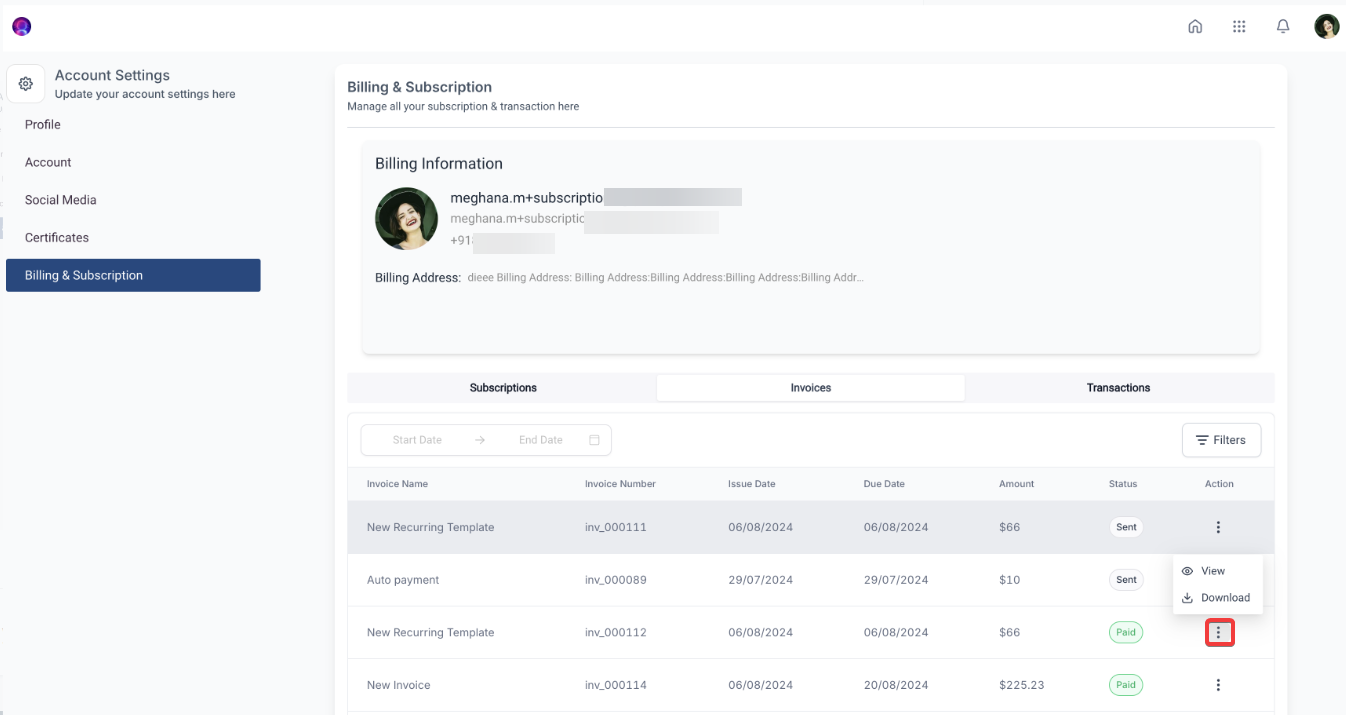
Users have full access to their invoices at any time, with the ability to view, download, and review billing details, payment history, or transaction summaries. This comprehensive access ensures that all financial records are easily accessible and manageable. - Advanced Filtering Options
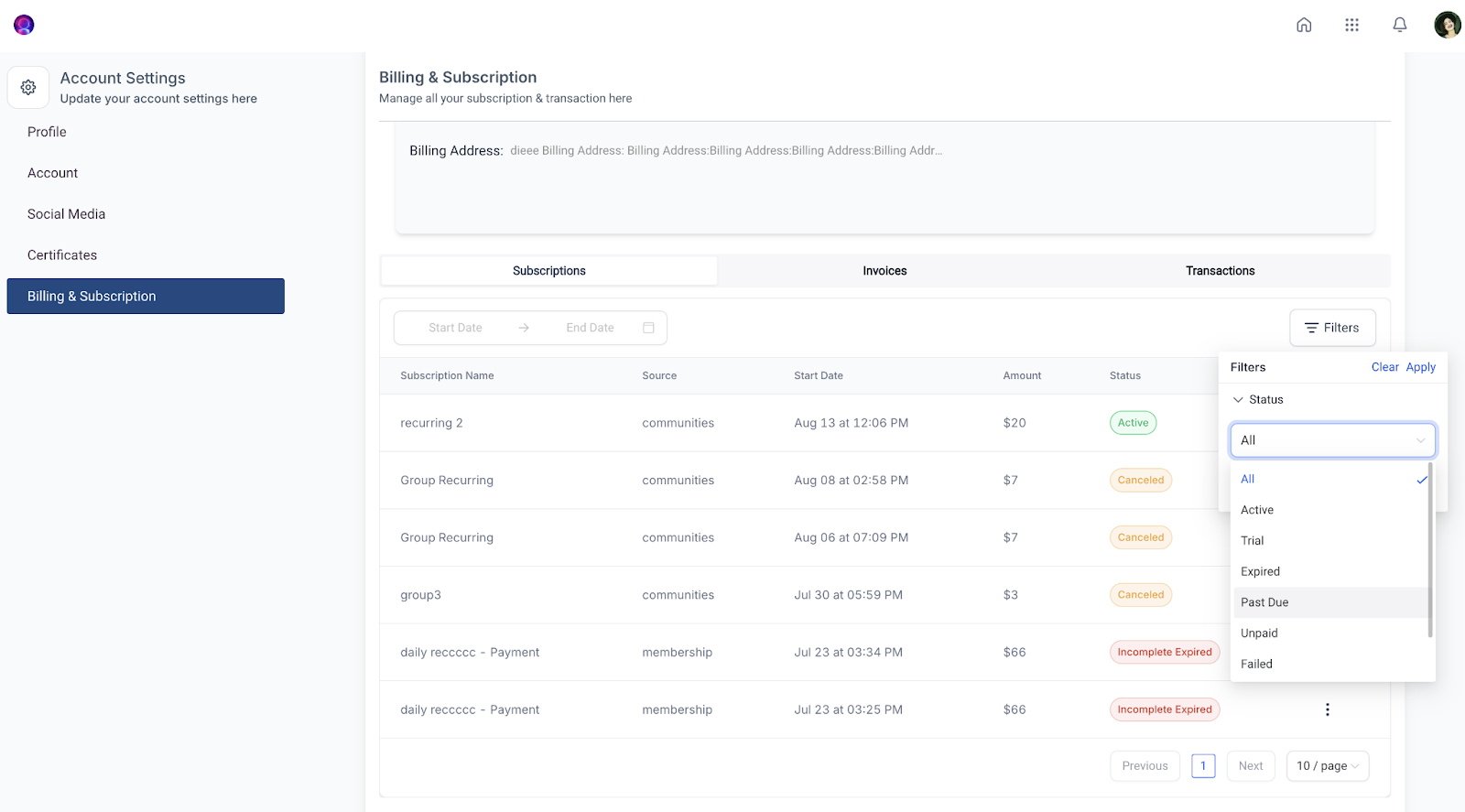
The advanced filtering options make it simple to find specific subscriptions and transactions. Users can filter by source, status, or a specific date range, allowing for a tailored view of their billing history and helping them stay organized. - Revamped User Interface
The settings page has been refreshed with a new, user-friendly design that enhances the overall experience. The updated interface is cleaner and more accessible, making it easier than ever to manage subscriptions and account settings. - Subscription View Permission Control for Admins
Admins have the option to control user access to the Subscription Management feature. This means that if the subscription management function isn’t suitable for some users, access can easily be revoked through app permissions.
How to Use the Subscription Management Feature
Step 1: Accessing Subscription Management
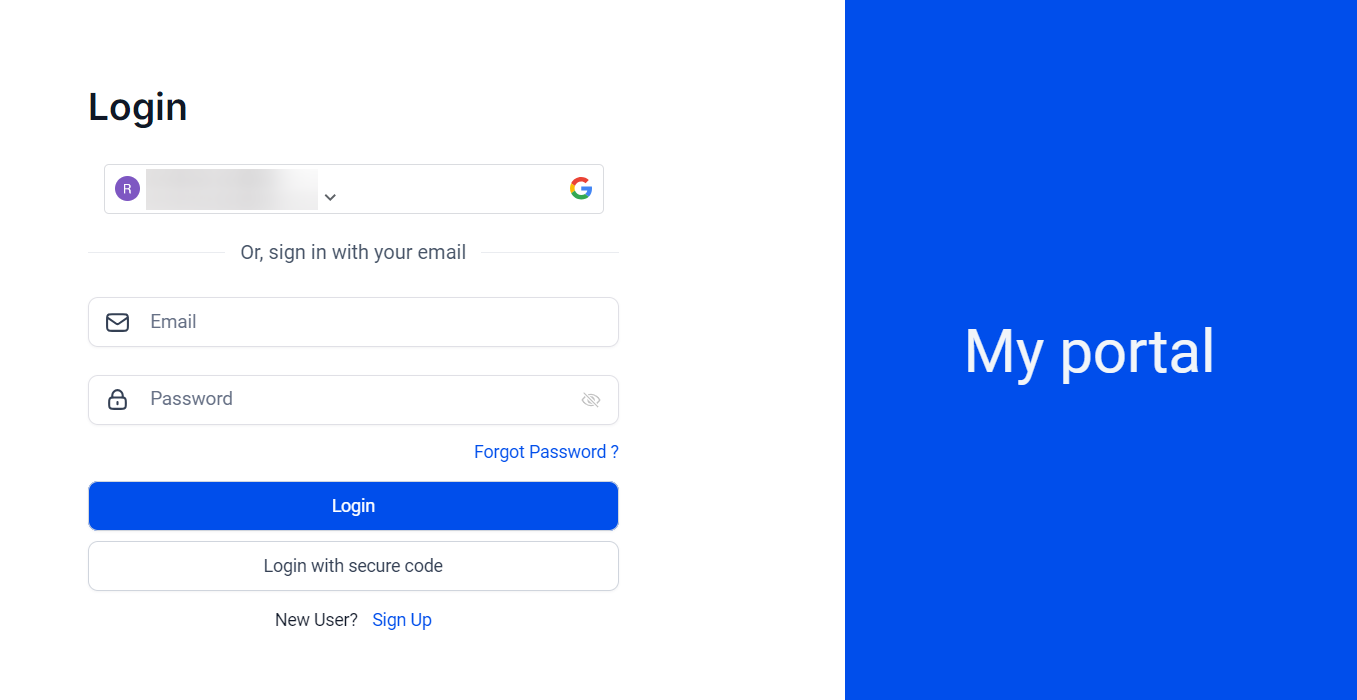
- Log in to your Client Portal directly
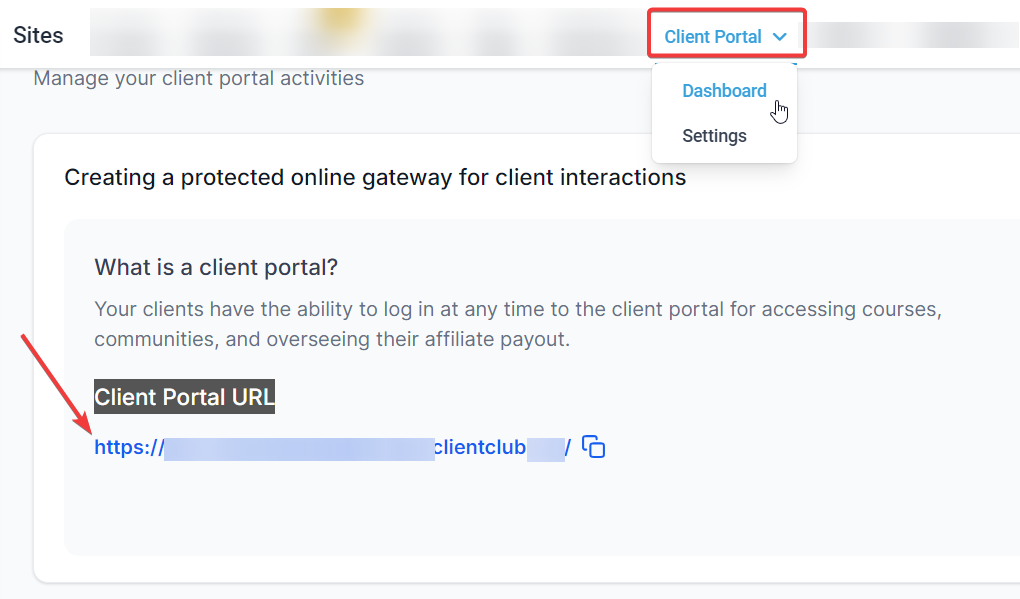
- or click on the URL in sites>client portal>dashboard:
- Click on your profile in the top right corner.
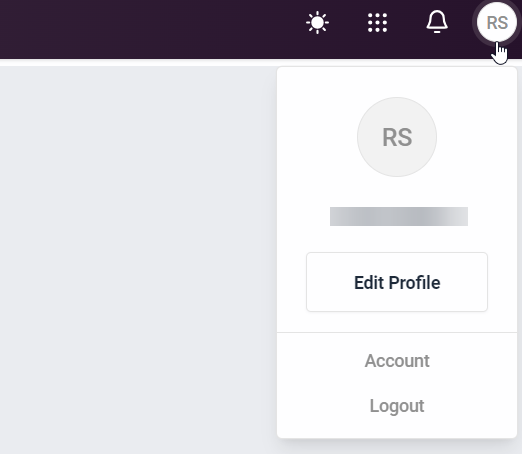
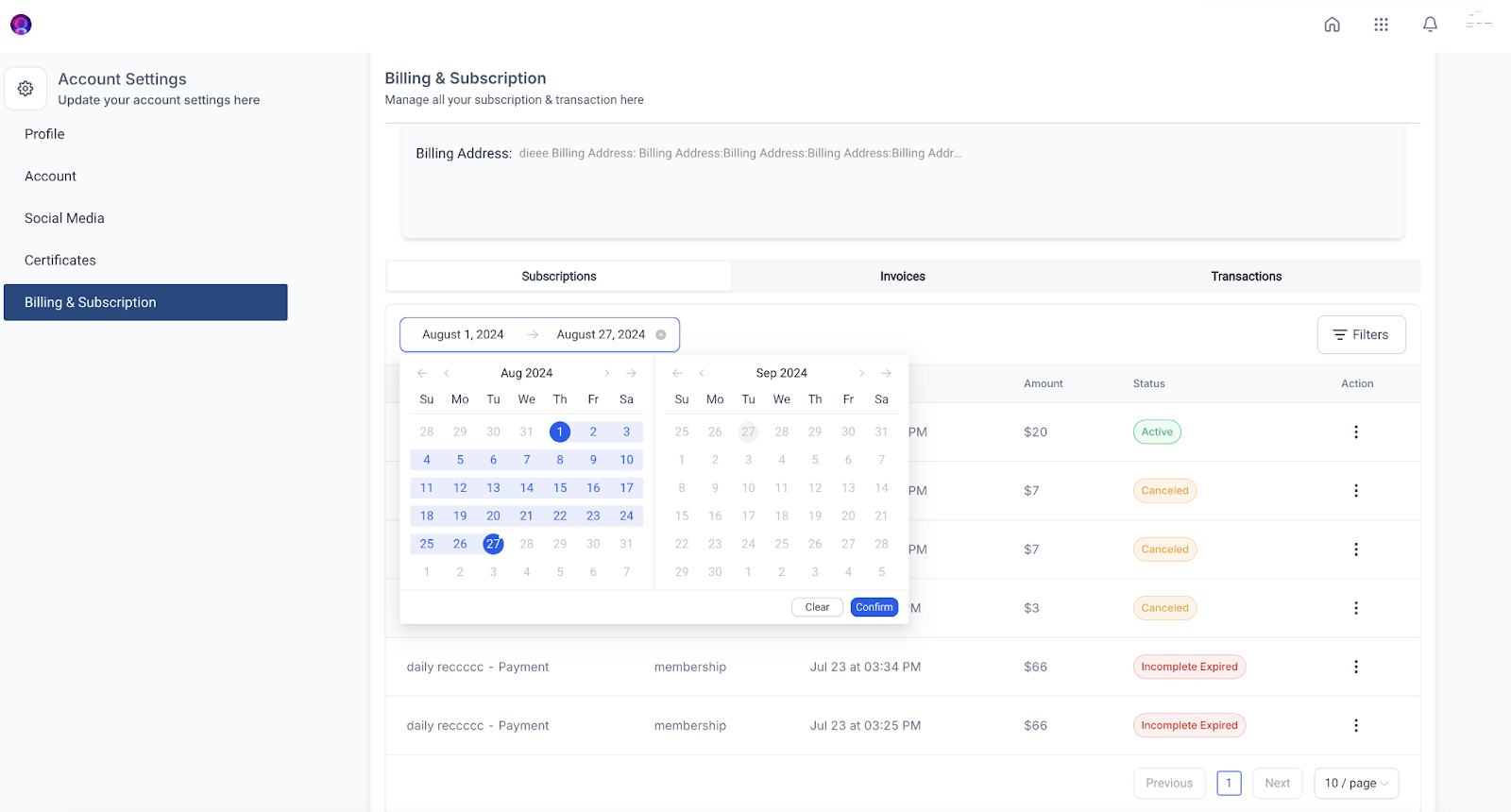
- Select “Account Settings,” then go to “Billing & Subscription.”
Step 2: Managing Subscriptions
- View Subscriptions: Access all active and inactive subscriptions from a single view.
- Cancel a Subscription: Click on the subscription you want to cancel and select the “Cancel” option. Confirm your action and the subscription will be immediately canceled, revoking access to any related services.
- Filter Subscriptions: Use the filtering options available at the top of the page to sort subscriptions by source, status, or date.
Step 3: Managing Invoices
- View Invoices: Navigate to the “Invoices” tab to see all past and current invoices.
- Download Invoices: Click on any invoice to download it for your records or further review.
Pro Tips
- Stay Organized: Utilize the advanced filtering options to keep your subscription and billing data organized and easy to access. Filtering by specific criteria can save you time and help you quickly find the information you need.
- Access Control: If you’re an admin, consider setting permissions carefully. Restricting access to subscription management for certain users can help keep sensitive financial information secure.
- Monitor Cancellations: Keep track of canceled subscriptions to manage access to associated services effectively. This can help prevent any surprises for clients who might expect continued access to content they’ve canceled.
FAQs
Q1: How do I cancel a subscription?
A1: To cancel a subscription, go to the Subscription Management page, select the subscription you want to cancel, and click on the “Cancel” option. Confirm your action and the subscription will be canceled immediately.
Q2: Can I access my past invoices through the Client Portal?
A2: Yes, you can view and download all your past and current invoices by navigating to the “Invoices” tab within the Subscription Management section.
Q3: How do I filter my subscriptions?
A3: Use the filtering options at the top of the Subscription Management page. You can filter subscriptions by source, status, or a specific date range to find what you need quickly.
Q4: Can I revoke access to the Subscription Management feature for specific users?
A4: Yes, admins can control access to the Subscription Management feature. If you do not want specific users to see or manage subscriptions, you can revoke their access through app permissions.
Q5: What happens if I cancel a course or community subscription?
A5: Canceling a course subscription will revoke access to the courses immediately, and canceling a community subscription will revoke access to the community. Be sure to confirm your cancellations as access will be lost once the action is taken.