Welcome to Infinite Sales Reporting Tab, where you can access vital reports to gain insights into your lead sources and make informed decisions for your business. In this guide, we will walk you through the Attribution Report and provide details on Enhanced Attribution Reporting.
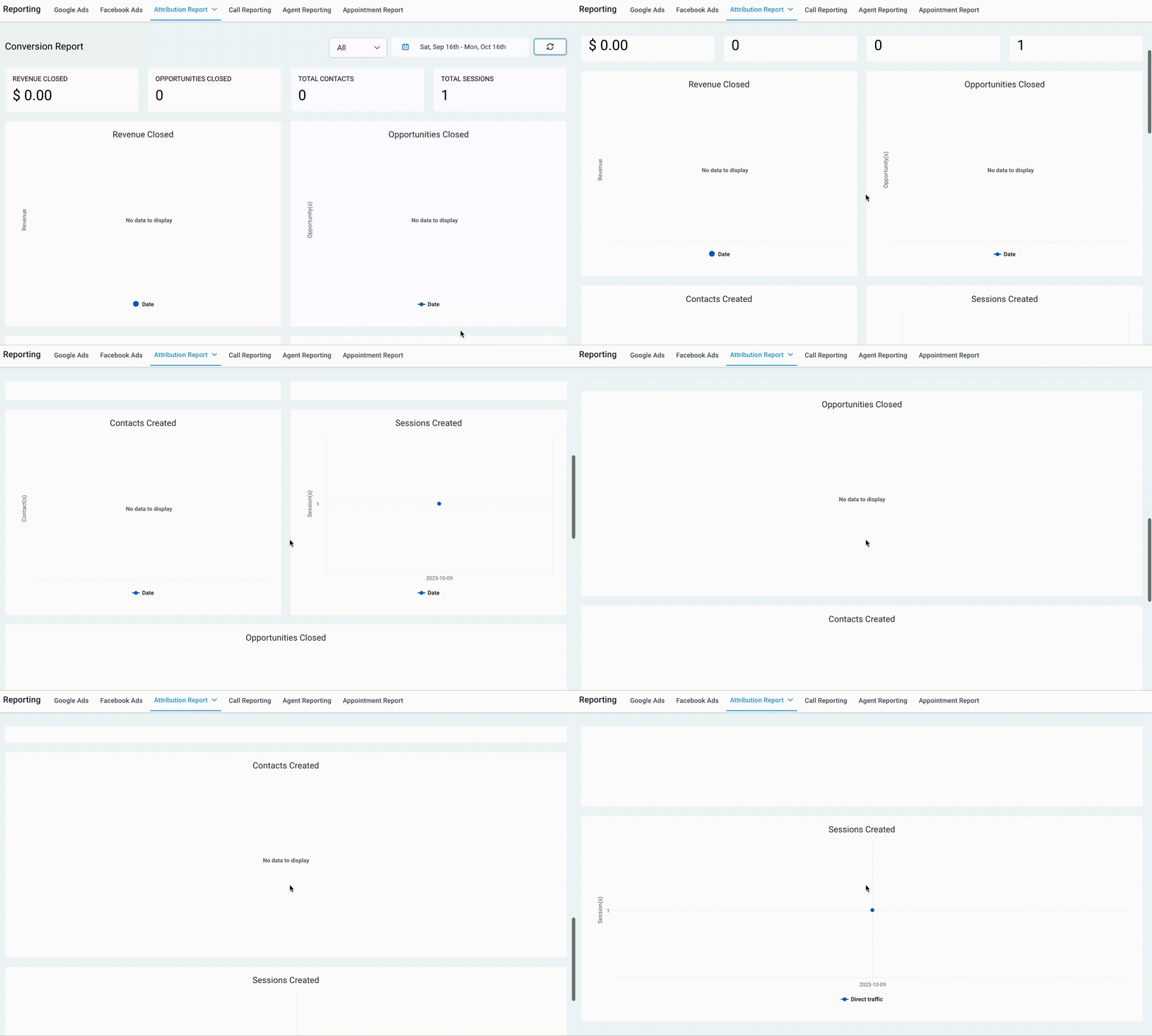
Step 1: Accessing The Report
- Begin by navigating to the Reporting section of Infinite Sales.
- From the Reporting menu, choose “Conversion Report” or “Source Report”.
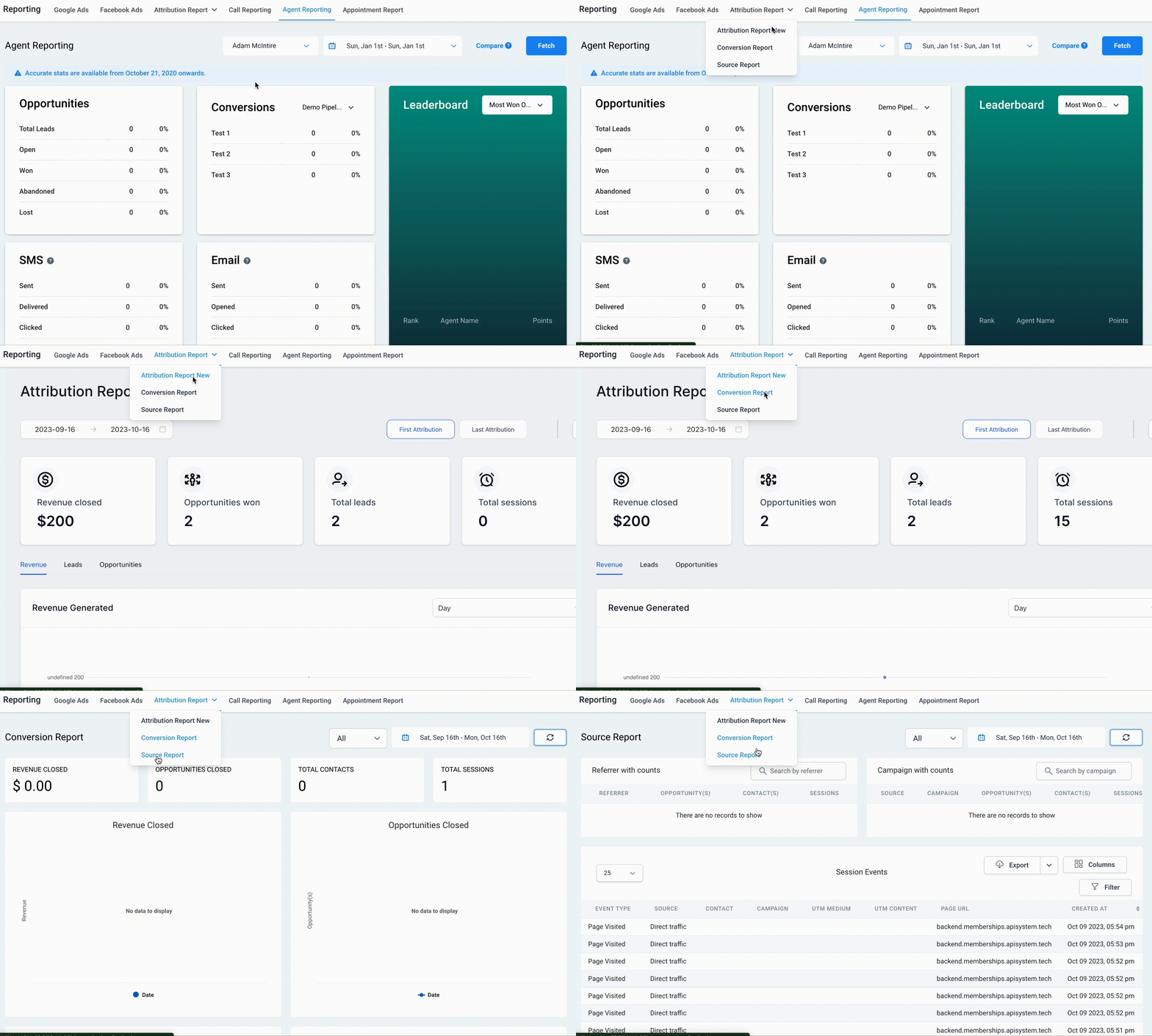
- At the top right, you’ll find a dropdown menu that allows you to filter the data. Choose whether you want to view ALL data, or specifically data for Forms, Surveys, or your Calendars.
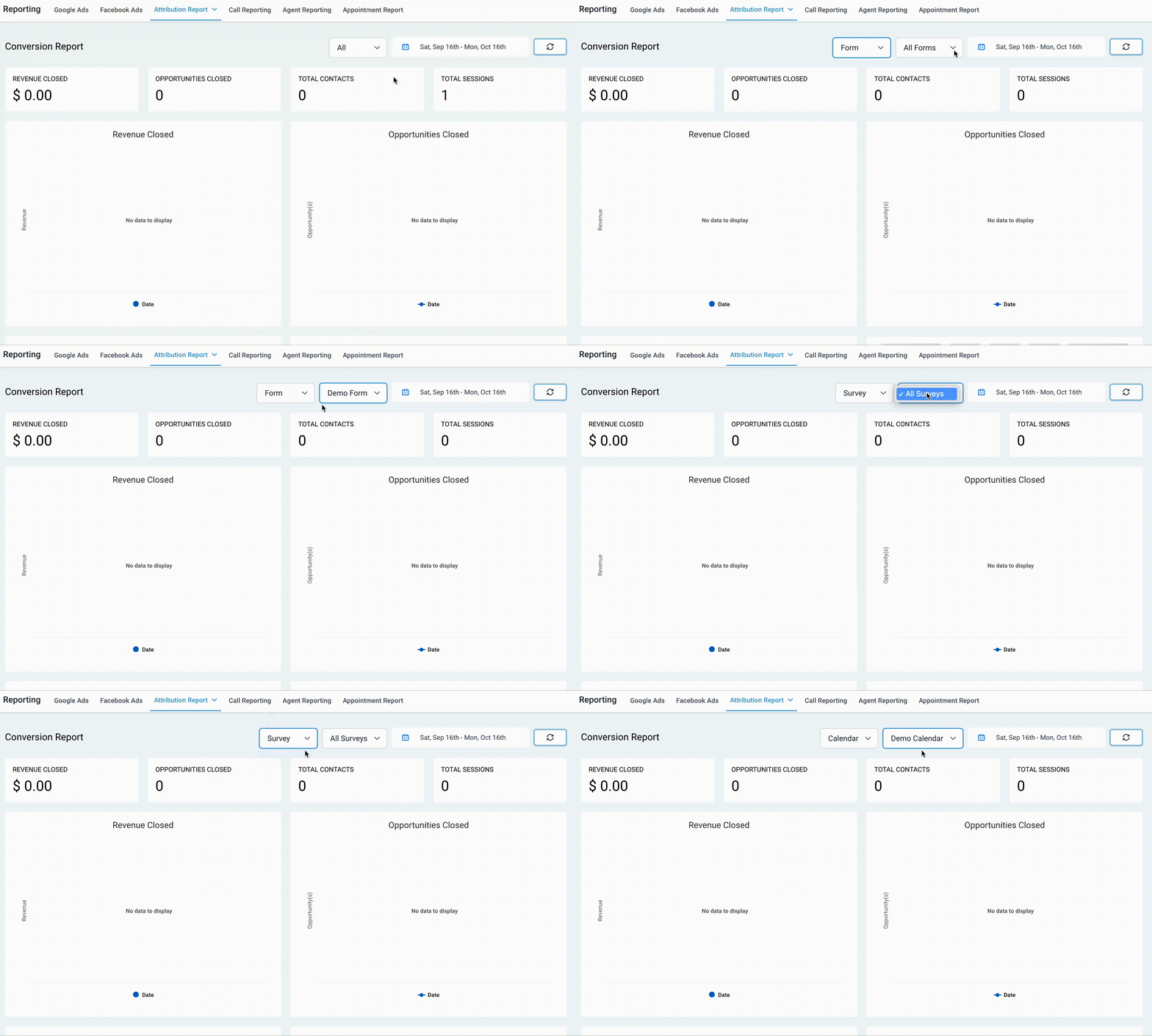
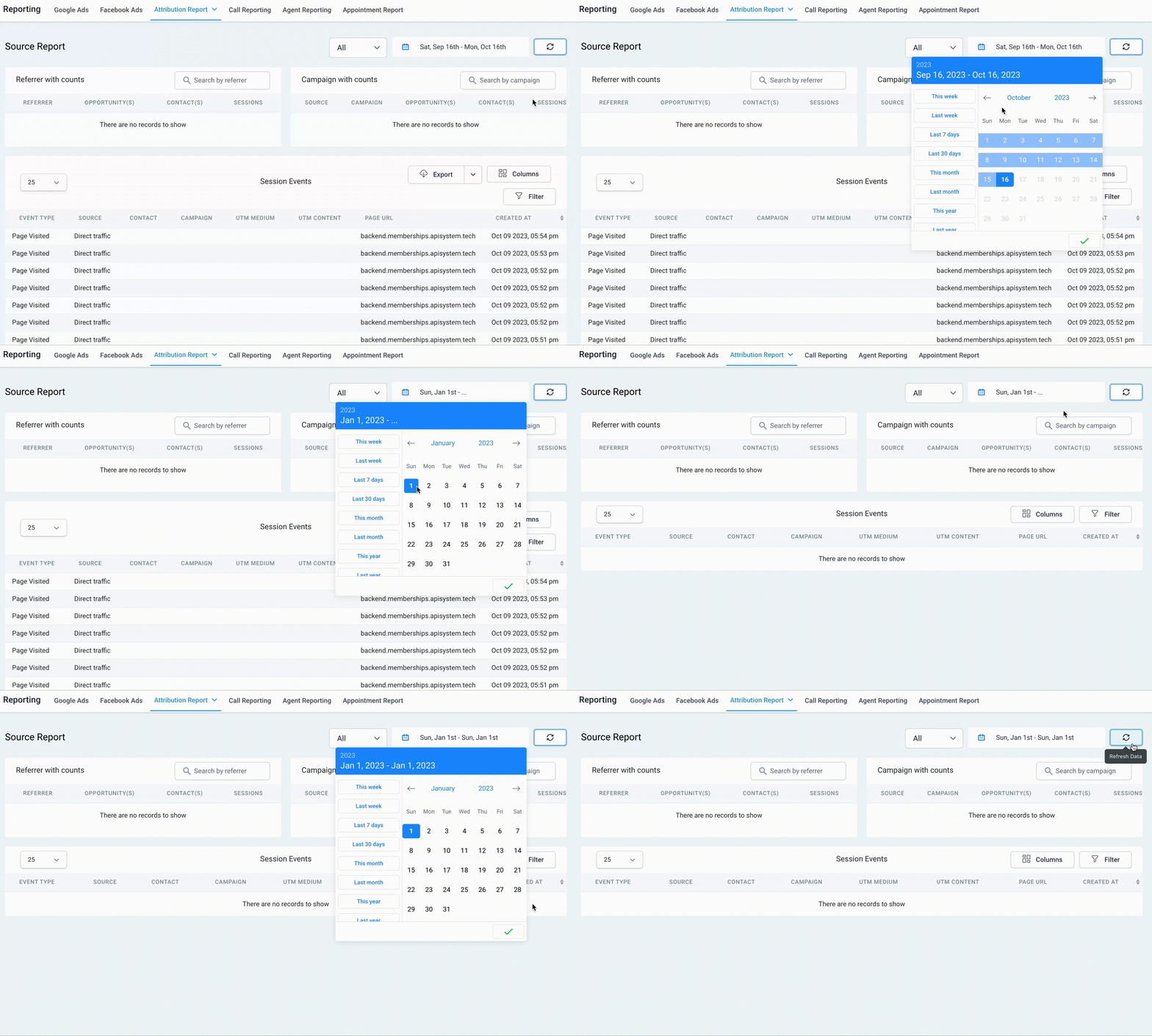
- Next, set the date period that you wish to analyze, and simply click the refresh button to update the data.
Step 2: Viewing The Report Data
In addition to the Attribution Report, you can also view a Conversion and Source Report.
- Conversion Report
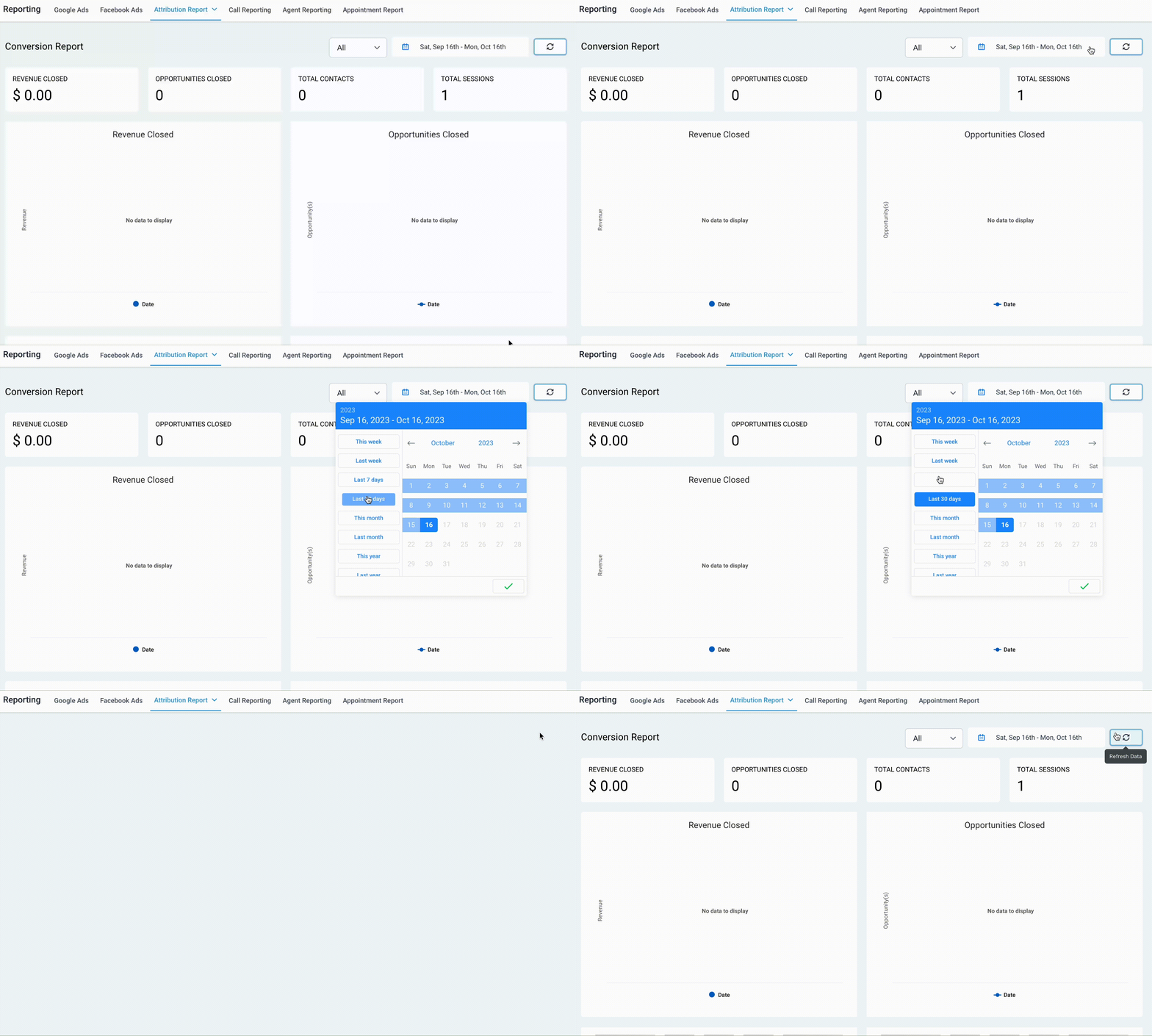
- In the Conversion Report, you can analyze attribution data by reviewing various statistics and graphs. This includes everything from the dollar amount of revenue closed to the total number of opportunities closed, and much more. Take a closer look at each graph and statistic box to uncover valuable insights.
- Source Report
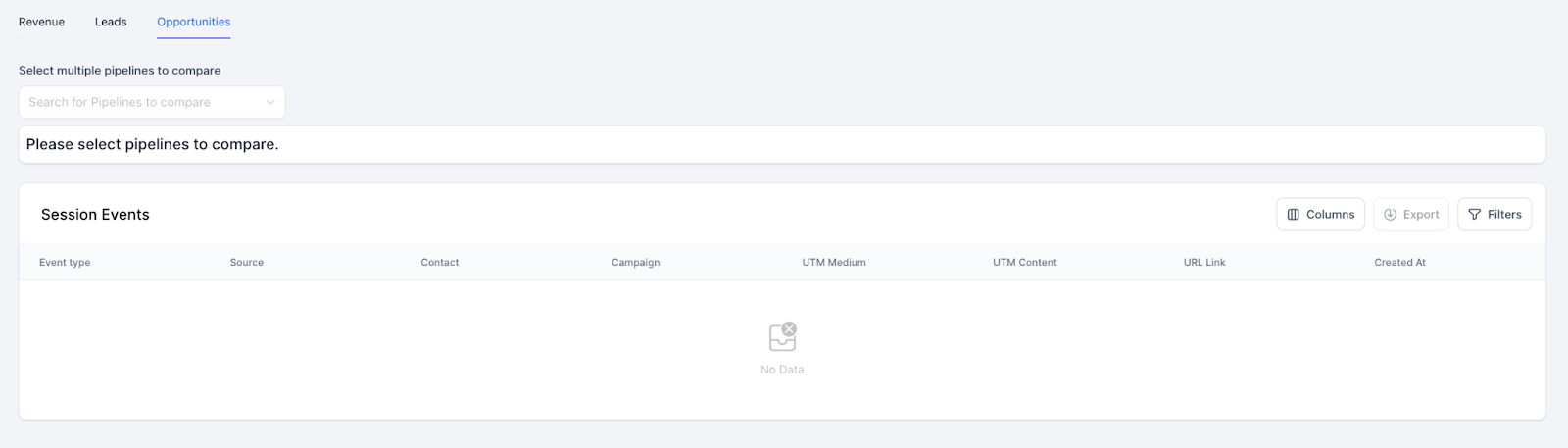
- The Source Report provides detailed information on Referrers and Campaigns, along with counts. You can easily search for specific data using the search bar located in the top right corner of the respective box. Additionally, below, you’ll find a comprehensive list of all your Session Events, which can be customized and filtered as needed. And you can export this data for further analysis.
- Below is a list of all your Session Events.
- This list may be filtered, and you may customize the column display.
- You may also export the data
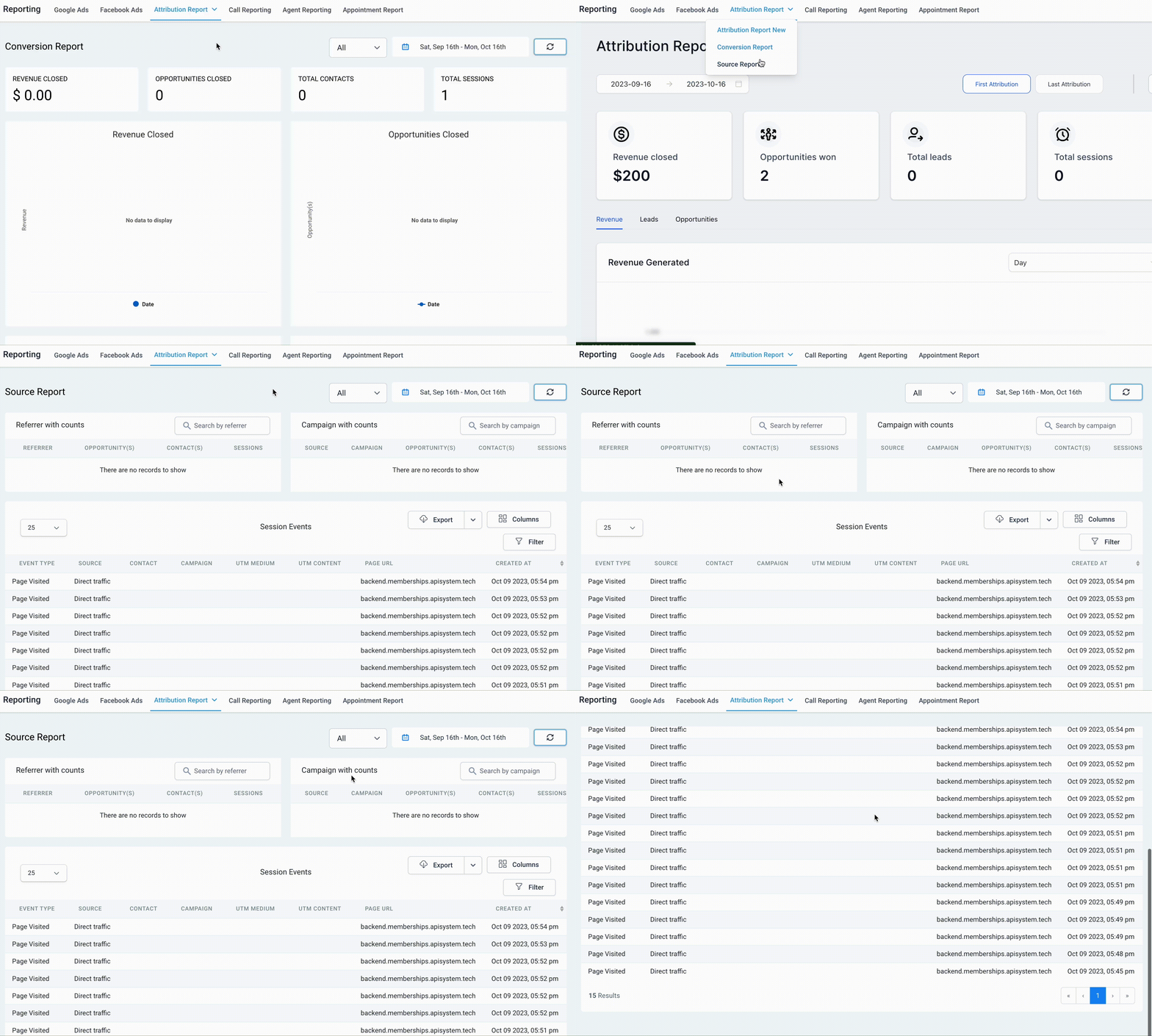
Check back anytime for the latest data and statistics!
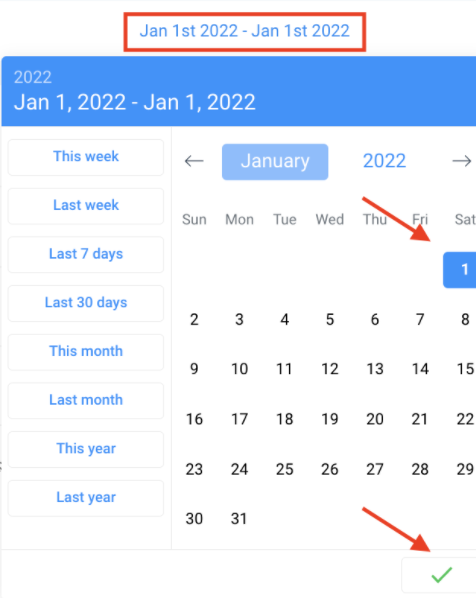
NOTE: If you wish to view reporting metrics for a single day, ensure that you select the same date as both the start and end date. This is crucial for the stats to appear correctly. Refer to the example below to see how you can run reports for January 1, 2022, by choosing January 1st as both the start and end date.
Step 3: Understanding The Attribution Report
The main Attribution Report feature empowers business owners to gain deeper insights into the lead sources and understand their marketing efforts. With this report, you can track where your leads are coming from, whether it’s through the CRM UI (Manually made), third-party sources (like Zapier or other inbounds), or other avenues.
You can track if your lead comes from:
- CRM UI (Manually made)
- Third-party (Zapier or via any other inbounds)
- Others
General Overview:
- Revenue Numbers: This toggle will help you see the revenue numbers alongside the count of numbers.
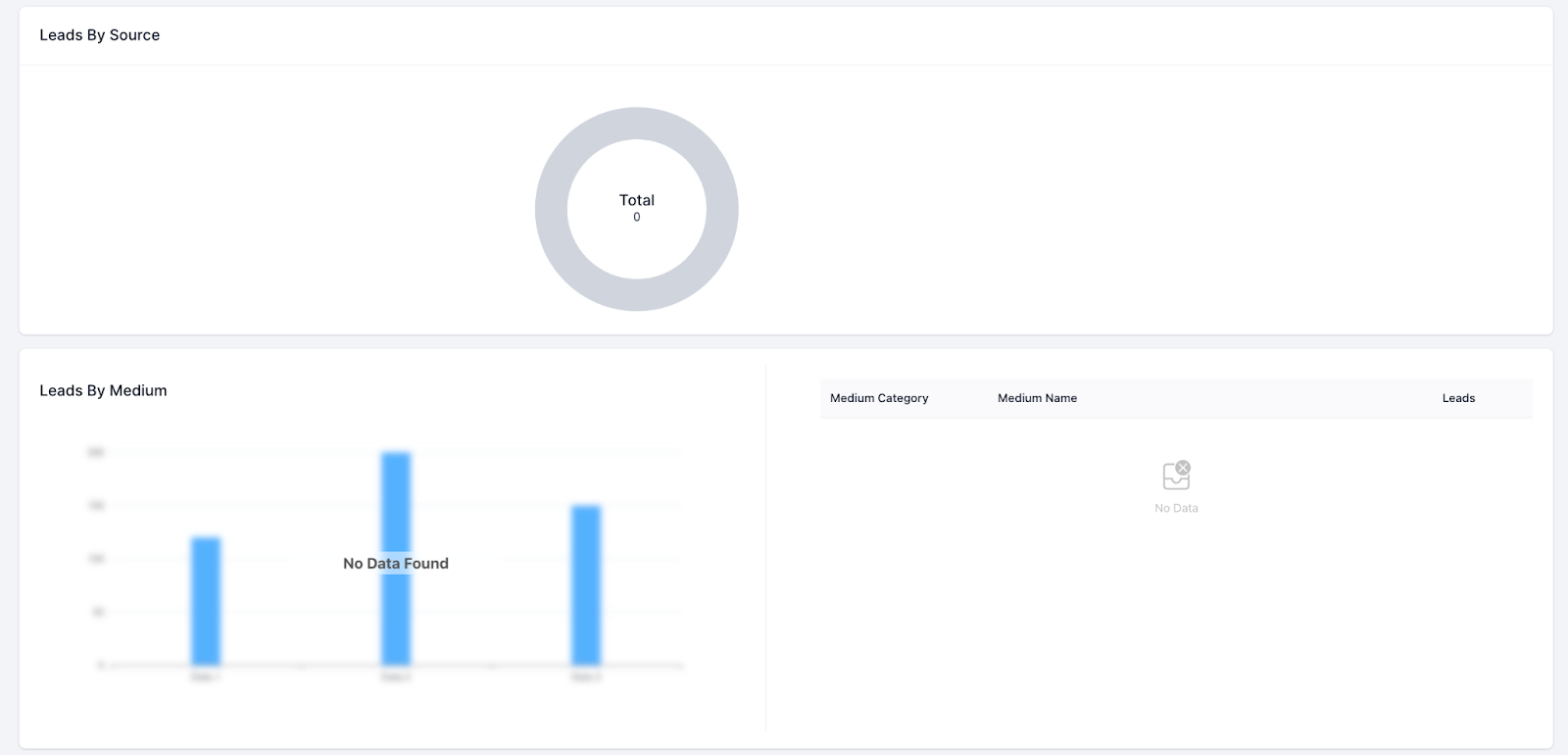
- Lead by Source: This chart will help users understand where leads are coming from and which source drives more traffic.
- Lead by Medium: This graph will break down the leads made and from which medium they entered the CRM database. It lets you know which medium is performing best.
- Opportunity Status Breakdown by Lead Count: This graph bar will show you the leads in each opportunity status along with an option to compare them across pipelines
- Pipeline Stage Breakdown by Lead Count: This section will show as a bar graph that displays the count of leads in each pipeline stage along with an option to compare them across pipelines