In this article, you will learn to automate the population of customer information into the notes section of your contacts. This advanced technique ensures that your customer data is seamlessly integrated, saving you time and effort. In this guide, we will walk you through the process step-by-step, empowering you to effortlessly manage your contact data.
Custom Forms:
Before you begin, ensure you have customized forms tailored to your specific data needs. If you haven’t set up custom forms yet, refer to our article, “How To Customize a Form Or Survey,” for detailed instructions.
Step 1: Create the Workflow Automation
- Begin by navigating to Automations > Workflows and create a new Workflow.
- Under Workflow Triggers, select “Form Submitted”
- In the Filters section, choose “Form is” and select the specific form from the dropdown menu that you want to extract data from.
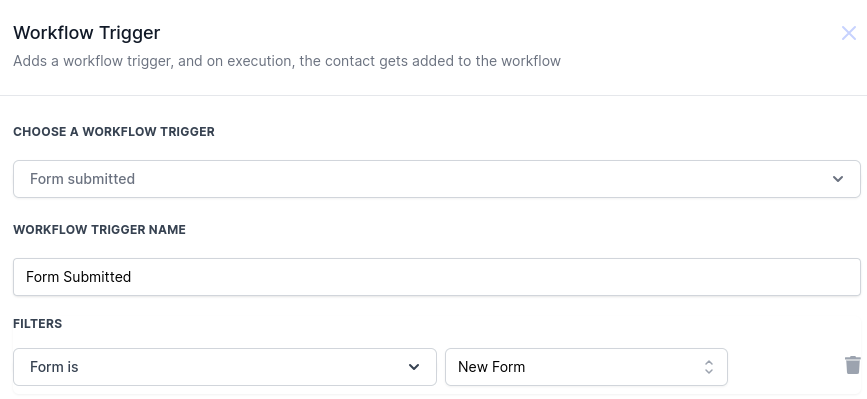
- Click “Save Trigger” at the bottom right of the screen to confirm your settings.
Step 2: Set up the “Add to Notes” Action
- Navigate to the Actions section and choose “Add to Notes” under the CRM section.
- In the “Custom Values” dropdown menu, select “Contacts.”
- A secondary dropdown will appear; here, choose the specific form data you want to add to your contact notes.
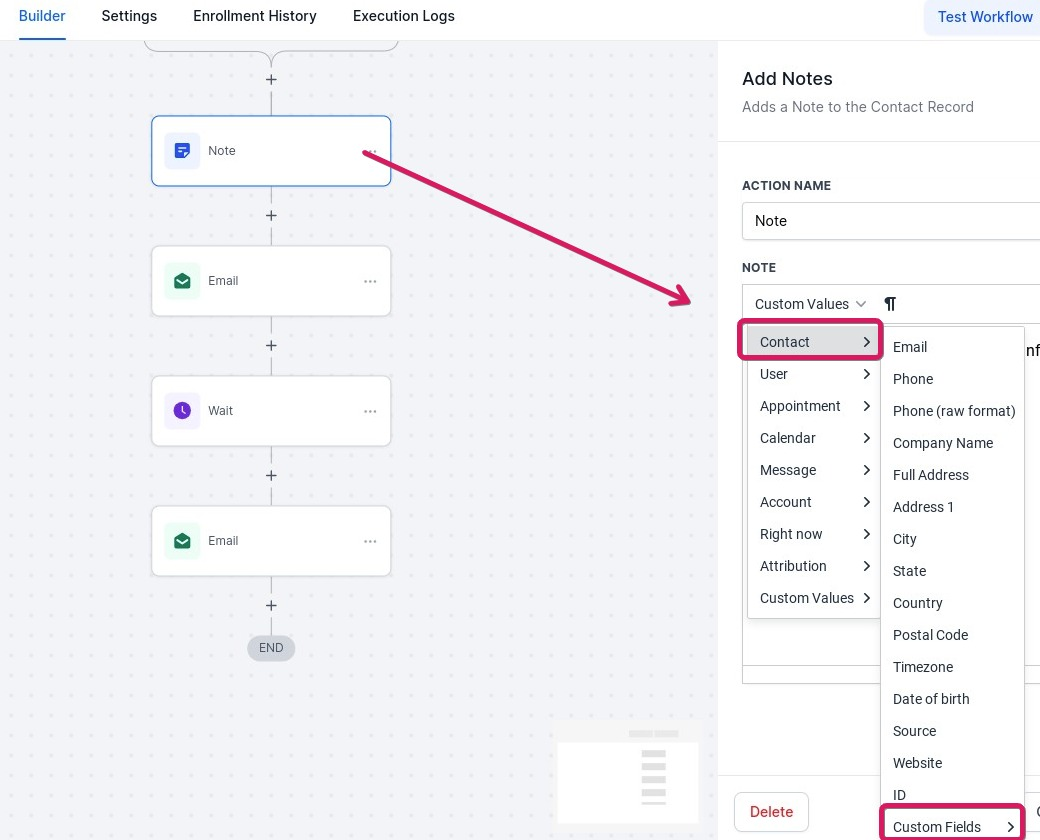
- Add more actions if needed, then publish and save
- When your Custom Value is selected, a corresponding code will appear in the text box; this code will be replaced with the form submission data in your contact’s notes.
Note: Consider adding a field title for clarity.
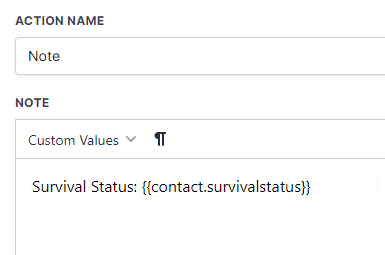
- Click “Save Action” in the bottom right corner of your screen to confirm your action settings.
Finalizing and Publishing
- Toggle the “Publish” switch to activate your workflow.
- Click “Save” in the top right corner to apply your changes.
With this setup configured the system will automatically populate contact notes with form submission data. With this streamlined process, you can focus on meaningful interactions with your customers while your system takes care of organizing crucial data points.
For any additional assistance or troubleshooting, do not hesitate to contact our support team.